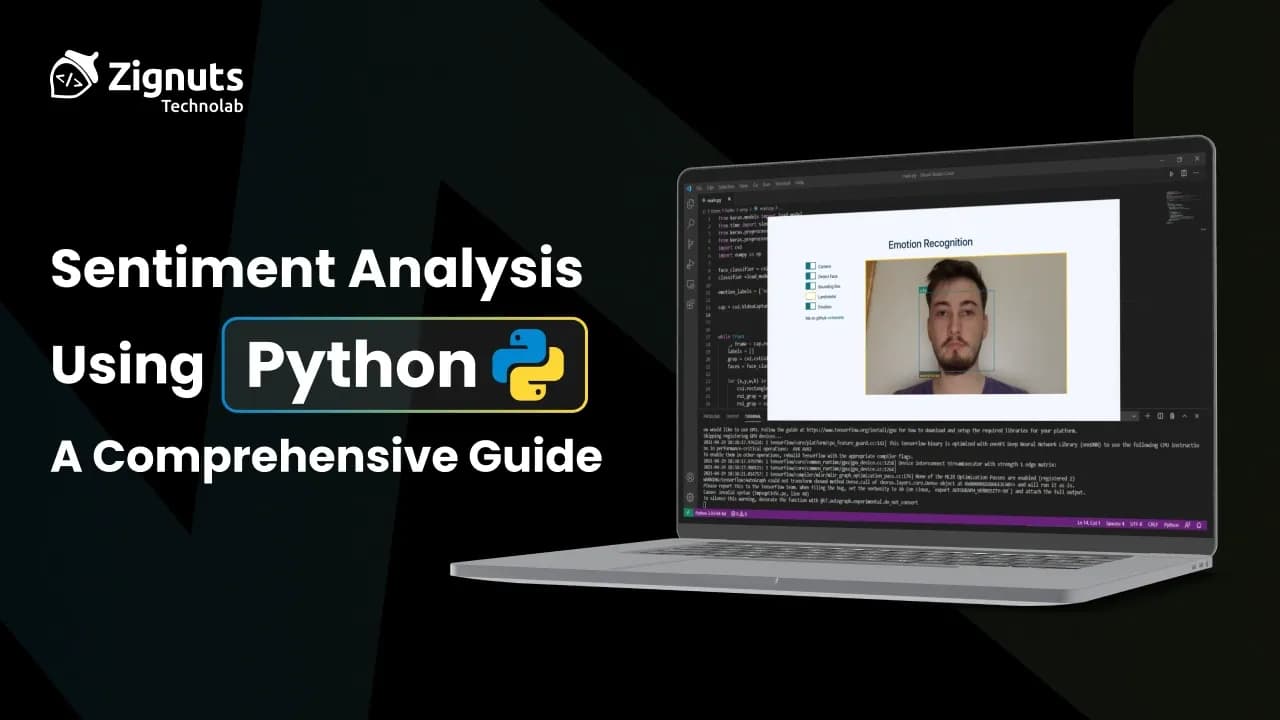
In an age of digital opinions - tweets, reviews, comments - understanding how people feel about a product, service, or topic is more valuable than ever. That’s where Sentiment Analysis steps in. This technique, a subset of Natural Language Processing (NLP), helps transform unstructured text data into structured insights by determining the emotional tone behind the words.
Whether you're a business trying to gauge customer satisfaction, a political analyst monitoring public sentiment, or a developer building smarter chatbots, sentiment analysis can provide crucial context that numbers alone can’t capture. With the rise of machine learning and open-source tools, performing sentiment analysis has never been more accessible.
This blog explores how to perform sentiment analysis using Python - walking through fundamental concepts, key tools and libraries, and a hands-on coding example that will get you started analyzing text data in no time.
What is Sentiment Analysis?
Sentiment analysis, also known as opinion mining, is a Natural Language Processing (NLP) technique used to determine the emotional tone behind a piece of text - whether it’s positive, negative, or neutral. It helps machines understand human language beyond just words, capturing intent and emotion.
At its core, sentiment analysis breaks down sentences into components - words, phrases, and syntax - and uses linguistic rules or machine learning models to evaluate sentiment. It can be as simple as scoring keywords against a predefined dictionary or as complex as using deep learning models to interpret context and sarcasm.
Approaches to Sentiment Analysis
Sentiment analysis isn’t one-size-fits-all - the right approach depends on your data, accuracy needs, and technical resources. Let’s break down the three main methods with real-world analogies:
A. Rule-Based Approach: The Handcrafted Detective
How it works:
Uses a predefined "dictionary" of words tagged with sentiment scores (e.g., "happy" = +0.8, "terrible" = -0.9).
Applies simple rules like counting positive/negative words or checking for negations ("not good").
Example:
"The movie was not bad, but the ending was disappointing."
"not bad" → Neutral (negation flips "bad" to neutral)
"disappointing" → Negative
Pros:
Fast, transparent, and it works without training data.
Great for narrow domains (e.g., analyzing hotel reviews for "clean" or "dirty").
Cons:
Misses sarcasm ("Wow, this traffic is awesome!") and context.
Struggles with slang ("This vibe is fire").
Tools to try:
VADER (perfect for social media)
TextBlob (simple lexicon-based scoring)
B. Machine Learning Approach: The Data-Hungry Apprentice
How it works:
Learns from labeled examples (e.g., 10,000 tweets pre-tagged as Positive/Negative).
Treats sentiment as a classification problem (like spam detection).
Popular Algorithms:
Naive Bayes: Lightweight and great for starters.
SVM (Support Vector Machines): Handles complex text patterns well.
Logistic Regression: Balances speed and accuracy.
Pros:
Adapts to specific vocabularies (e.g., tech vs. fashion reviews).
More accurate than rule-based for nuanced language.
Cons:
Needs lots of labeled data ("garbage in, garbage out").
Still struggles with irony or cultural references.
Real-world use case:
A streaming service uses an SVM model to classify user reviews into "Love," "Meh," or "Hate" to prioritize feature updates.
C. Deep Learning Approach: The Polyglot Genius
How it works:
Uses neural networks (like RNNs, LSTMs, or Transformers) to capture context, tone, and even emojis :dart:.
Can analyze entire sentences holistically (e.g., "The plot was boring, but the acting saved it" → Mixed).
Why it’s powerful:
Understands long-range dependencies (e.g., "The food was great, but the service... wow, just awful.").
Handles multilingual text (thanks to models like BERT and multilingual BERT).
Pros:
State-of-the-art accuracy (used by Google, Twitter, etc.).
Learns from unlabeled data via pretraining (e.g., GPT-3).
Cons:
Requires heavy computational power (GPUs/TPUs).
"Black box" nature makes debugging tricky.
example:
Hugging Face’s Transformers can detect sarcasm in Reddit posts with ~90% accuracy.
Why This Matters
Imagine a company launching a brand-new product. Within days, thousands of customer reviews, tweets, and comments flood in - some raving about its sleek design, others frustrated by glitches or missing features. Manually reading through all this feedback? Nearly impossible.
That’s where sentiment analysis becomes a game-changer.
With the power of automation and machine learning, the company can:
✔ Instantly sort feedback into categories like Positive, Negative, or Neutral
✔ Spot recurring issues early, such as a bug mentioned by hundreds of users
✔ Track how public opinion changes - before and after a product update or announcement
✔ Prioritize customer support based on sentiment, so angry users get help faster
✔ Make data-driven decisions instead of guessing what people feel
And it’s not just for businesses.
The best part? Thanks to Python and its rich ecosystem of NLP libraries, you don’t need a PhD or a million-dollar budget to tap into these insights. With just a few lines of code, you can start turning raw text into real, actionable intelligence.
Step-by-Step Example
Installation
install the necessary libraries via pip:
1 Using TextBlob
Polarity: ranges from -1 (negative) to +1 (positive)
Subjectivity: ranges from 0 (objective) to 1 (subjective)
2. Using VADER
Output:
Compound score: A normalized score from -1 (most negative) to +1 (most positive)
Hire Python Developers Today!

Conclusion
Sentiment analysis is no longer just a research topic - it's a practical tool that turns messy, unstructured text into meaningful insights. Whether you're analyzing customer reviews, social media buzz, or survey responses, it helps you understand what people truly feel.
Thanks to Python and its powerful libraries, anyone - from data enthusiasts to product managers - can harness this capability without deep expertise in AI. Start small, experiment with approaches, and scale up as needed.
In a world full of opinions, sentiment analysis helps you hear what really matters.

Divyesh Patel
A passionate problem solver driven by the quest to build seamless, innovative web experiences that inspire and empower users.

Parth Gupta
software developer passionate about creating systems that not only perform but endure driving meaningful impact through resilient and scalable technology.