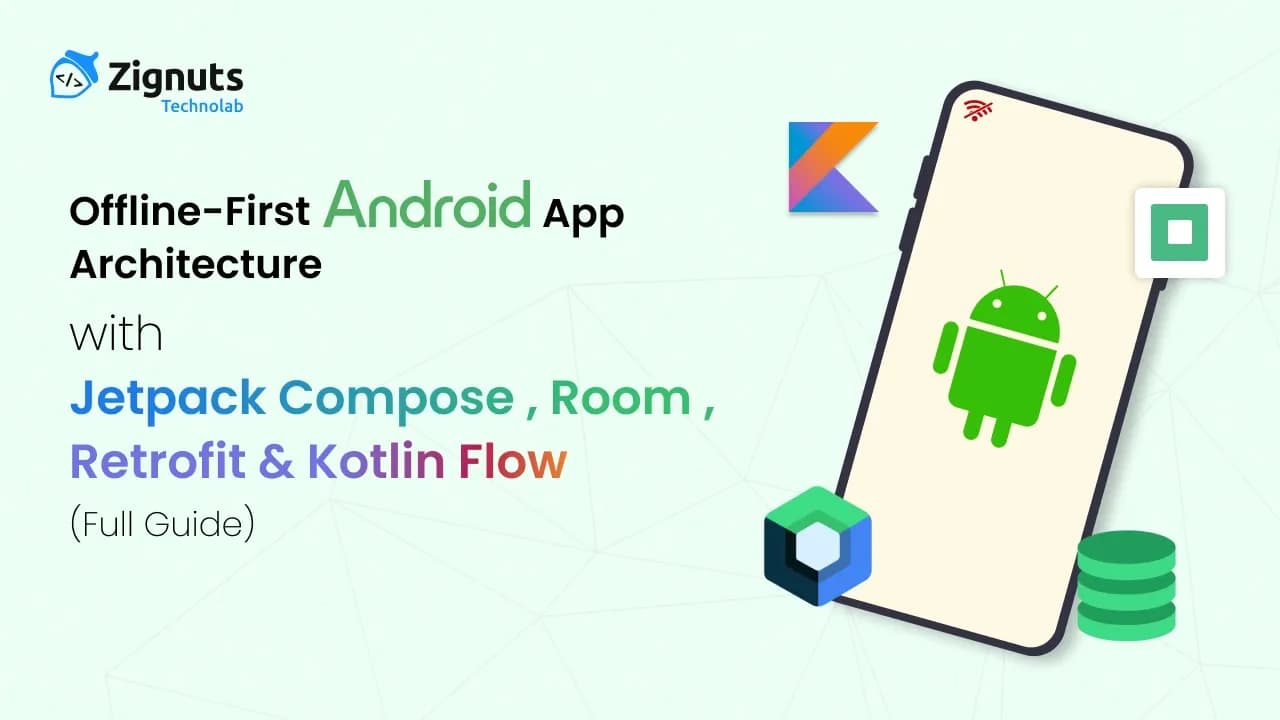
Modern mobile users expect applications that feel fast, responsive, and reliable at all times, even in poor network conditions. Whether a user is traveling through patchy network areas, using airplane mode, or simply facing inconsistent internet speeds, the application should continue to function smoothly. Applications that freeze, show constant spinners, or display “No Internet Connection” screens create friction and frustration.
This is where the offline-first Android App Architecture approach comes into play. As of 2026, this architecture has become the gold standard for high-performance apps, ensuring that data is always available instantly while synchronization happens intelligently in the background. Beyond simple caching, modern offline-first design leverages differential synchronization and conflict-free replicated data types (CRDTs) to ensure that even complex user interactions like editing shared documents or processing financial transactions remain seamless without an active heartbeat to the server. By prioritizing the local database as the primary source of truth, developers can eliminate perceived latency, reduce server overhead, and significantly improve battery life by batching network requests during optimal connectivity windows.
Understanding the Core of Offline-First Android App Architecture
In 2026, offline-first Android App Architecture has shifted from a "feature" to a fundamental requirement for high-performance mobile applications. It represents a design philosophy where network connectivity is treated as an optional enhancement rather than a prerequisite.
The Core Philosophy: Local-First, Network-Second
Traditionally, apps followed an "online-first" model: the UI requested data, the app called an API, and the user waited behind a loading spinner. If the connection failed, the app failed.
In an offline-first architecture, this logic is inverted. Every user interaction, reading a message, saving a note, or liking a post, interacts exclusively with a local database. The network functions silently in the background, reconciling the local state with the server when conditions are optimal.
Key Components and Their Roles in 2026
Local Data Persistence (The Anchor):
Using tools like Room (SQLite), Realm, or DataStore, the app stores a complete or relevant subset of the user's data. This ensures that the moment the app opens, content is visible. In 2026, many apps use "Pre-populated Databases" to give first-time users an instant experience even before their first sync.
The Single Source of Truth (SSOT):
The UI layer (Jetpack Compose) never observes the network directly. It subscribes to a Kotlin Flow or StateFlow emitted by the local database. When the background sync updates the database, the UI "reacts" and updates automatically. This creates a seamless transition where the user doesn't even realize a sync occurred.
Intelligent Background Synchronization:
Modern apps use WorkManager to handle data transfers. In 2026, this has become highly sophisticated, with "Constraint-based Syncing" that only triggers when the device is on Wi-Fi, charging, or during periods of low system activity to preserve battery life.
Optimistic UI Updates:
When a user performs an action (like sending a message), the app updates the UI immediately as if the action succeeded. The data is saved locally with a "pending" flag. If the eventual background sync fails, the app handles the error gracefully, perhaps showing a small "retry" icon instead of blocking the user with an error dialog.
Why This Matters for Modern Android App Architecture
Even with 5G and satellite internet becoming more common, "micro-outages" remain frequent in elevators, subways, or congested public spaces. Offline-first architecture solves several modern problems:
- Zero Latency: Reading from a local disk is measured in milliseconds, while a network round-trip can take seconds.
- Battery & Data Economy: By batching network calls and avoiding constant "polling," apps drastically reduce power consumption.
- Inclusivity: It makes apps usable for the billions of people globally who still lack consistent high-speed internet.
Advanced Conflict Resolution in 2026
When multiple devices edit the same data offline, conflicts are inevitable. Modern Android App Architecture typically uses one of two strategies:
- Last Write Wins (LWW): The most recent timestamped change is kept.
- CRDTs (Conflict-Free Replicated Data Types): A more advanced mathematical approach that allows different edits to be merged automatically without a central server deciding the winner, which is now standard for collaborative tools.
The Evolution of High-Level Android App Architecture in 2026
The modern 2026 standard for Android App Architecture follows a sophisticated layered approach comprising the UI Layer, Domain Layer, and Data Layer integrated with the Repository pattern. This decoupling ensures that the UI remains entirely agnostic of where data originates, whether it be a local SQLite instance, a remote GraphQL server, or a real-time WebSocket stream.
Advanced Architectural Layers
The UI Layer (Jetpack Compose):
In 2026, the UI is strictly declarative and state-driven. It consumes "View State" objects from the ViewModel and emits "User Intents." By using collectAsStateWithLifecycle(), the UI observes reactive streams while automatically managing resource allocation during lifecycle events like screen rotations or backgrounding.
The Domain Layer (Optional but Recommended):
This layer sits between the UI and Data layers. It contains Use Cases (or Interactors) that encapsulate specific business logic. This prevents the ViewModel from becoming a "God Object" and allows for the reuse of logic across different screens, such as a GetSortedArticlesUseCase.
The Data Layer (Single Source of Truth):
This is the foundation of the offline-first Android App Architecture. It consists of Repositories that coordinate between various data sources (Room for local persistence and Retrofit/Ktor for network). The Data Layer is responsible for data mapping, converting network DTOs (Data Transfer Objects) into local Database Entities or Domain Models.
Key Architecture Principles for 2026
To build scalable and resilient applications, four core principles guide the development process:
1. Single Source of Truth (SSOT)
The most critical rule of offline-first design is that the UI never reads directly from the network. Instead, the local Room database serves as the SSOT. When the network returns data, it is saved directly to the database. The UI is then notified of the change through the database stream, ensuring that even if the network fluctuates during a data fetch, the UI remains stable and consistent.
2. Reactive Streams and Unidirectional Data Flow (UDF)
Modern Android App Architecture thrives on reactive programming. The room emits new values via Kotlin Flow, which flows upward through the Repository and ViewModel. This creates a "Unidirectional Data Flow" where data moves up and user actions (events) move down, making the app's state predictable and significantly easier to debug.
3. Silent Synchronization and Background Processing
Network operations are treated as background maintenance tasks rather than blocking UI events. Using WorkManager, the app schedules "Silent Syncs" that occur even when the app is closed. In 2026, this includes Delta Syncing, where only the changed bits of data are transferred, reducing bandwidth and battery consumption for the user.
4. Separation of Concerns and Dependency Injection
By keeping business logic out of the UI and using Dependency Injection (DI) frameworks like Hilt or Koin, developers can swap out components easily. For example, you can replace a mock DAO with a production Room DAO for testing without changing a single line of code in your ViewModel. This modularity is what allows modern apps to scale to millions of users while maintaining a clean codebase.
Hire Mobile Developers Today!

Step-by-Step Implementation of Android App Architecture
1. Define the Data Models
We keep domain models separate from Room entities to maintain clean layering and prevent database-specific logic from leaking into the UI.
Create the DAO (Data Access Object)
The DAO exposes a Flow, so UI updates automatically when the data changes in the database.
3. Retrofit API Service
Standard network interface for fetching remote data.
4. Repository - Core Logic of Android App Architecture
The UI never interacts with the network directly. Only the repository handles synchronization and mapping between entity types.
5. ViewModel for UI State
We convert Flow to StateFlow, stable and lifecycle-aware. In 2026, we prioritize collectAsStateWithLifecycle() to ensure optimal resource management during configuration changes.
6. Jetpack Compose UI
Declarative UI that observes the state and renders items efficiently.
Handling Offline State & 2026 Enhancements
In modern Android App Architecture, we treat "offline" as a status, not an error. The UI should always load from the local DB first, ensuring a seamless experience regardless of the environment. In 2026, the focus has shifted from "supporting offline" to "optimizing for intermittent connectivity."
Advanced Features for 2026
Connectivity Monitoring with Kotlin Flow:
Instead of checking the network status every time you make a call, use ConnectivityManager wrapped in a callbackFlow. This allows your UI to observe real-time changes and display a non-intrusive "Reconnecting" banner or "Working Offline" badge. In 2026, we utilize NET_CAPABILITY_VALIDATED to ensure the device actually has internet access, rather than just being connected to a router without service.
WorkManager 2.10+ and Expedited Jobs:
WorkManager has become the central engine for background synchronization. Version 2.10 introduced enhanced "Expedited Jobs," which allow for immediate, high-priority background tasks that bypass standard background restrictions. This is ideal for syncing critical user actions (like a "Like" or "Save") the second a connection is restored.
Differential Synchronization (Delta Syncs):
Rather than performing full dataset refreshes, modern apps use Delta Syncing. By including a last_updated_timestamp or sequence_number in API requests, the server only sends records that have changed since the client's last successful sync. This significantly reduces data usage and improves speed on slow 3G or satellite networks.
Optimistic UI & "Pending" States:
When a user performs an action (e.g., adding a comment) while offline, the app should instantly update the local Room database and reflect the change in the UI. In 2026, we add a sync_status flag (e.g., SYNCING, SYNCED, FAILED) to the data entity. This allows the UI to show a "Sending..." icon without blocking the user's flow.
Smart Cache Invalidation with HTTP ETags:
Use HTTP ETag (Entity Tag) headers to prevent redundant downloads. Before fetching a large list, the app sends its current ETag in the If-None-Match header. If the data hasn't changed, the server returns a 304 Not Modified status, saving significant bandwidth and battery.
Why This Offline-First Android App Architecture Scales Well
Adopting a modern offline-first Android App Architecture in 2026 isn't just about handling poor internet; it is a strategic decision that enables your application to scale from a small MVP to an enterprise-grade system serving millions of users.
1. Instant Rendering and Perceived Performance
One of the most significant benefits of this Android App Architecture is zero-latency UI rendering. Because the Single Source of Truth is the local Room database, the app never waits for a network handshake before showing content. As soon as the user opens the app, the data is already there. In 2026, when user retention is tied directly to millisecond delays, this "instant-on" feel is a massive competitive advantage.
2. Resilience Through Error-Tolerant Design
Traditional "online-first" apps are fragile; a single timeout can lead to an empty screen or a crash. This specific Android App Architecture is inherently error-tolerant. If a background synchronization fails due to a server outage or a sudden loss of signal, the app continues to function perfectly using the last cached state. To the user, the app feels unbreakable, which builds deep brand trust over time.
3. Automatic UI Updates via Reactive Streams
By utilizing Kotlin Flow and StateFlow in tandem with Jetpack Compose, you eliminate the need for manual UI "refresh" logic. This reactive pattern within the Android App Architecture ensures that any change in the Data Layer, whether from a background sync or a local user edit, automatically propagates to the UI. This reduces the surface area for "stale data" bugs, which are common in traditional imperative architectures.
4. Enterprise-Grade Testability and Modularity
Because the architecture enforces a strict Separation of Concerns, each layer is independently testable. This is a hallmark of a mature Android App Architecture:
- Repositories can be tested using "fake" DAOs and APIs.
- ViewModels can be tested by observing the StateFlow outputs in response to mocked repository inputs.
- UI Components can be isolated in Compose Previews without needing a running backend. This modularity allows large teams to work on different features simultaneously without causing merge conflicts or breaking existing logic.
5. Battery and Data Efficiency for 2026 Standards
In 2026, "green computing" and efficiency are priorities for mobile users. Offline-first apps are significantly more efficient because they avoid constant, redundant network polling. By using WorkManager to batch updates and ETags to avoid downloading unchanged data, the Android App Architecture drastically reduces CPU wake-ups, extending the user's battery life and saving them money on data plans.
6. Seamless Multi-Device Synchronization
This architecture provides the foundation for advanced features like Cross-Device Continuity. Since data is versioned and stored locally with sync flags, a user can start a task on their Android phone and finish it on their tablet. The Android App Architecture handles the "reconciliation" of these local states automatically, providing a unified experience that feels seamless across the entire ecosystem.
Sync Strategies in Modern Android App Architecture
In 2026, data synchronization is no longer just about "uploading vs. downloading." How your app synchronizes data depends on the complexity of user interactions and the sensitivity of the information. Effective Android App Architecture distinguishes between different sync models to maximize performance and reliability.
1. Read-Only Apps (The Consumption Model)
Examples: News aggregators, Blog readers, Weather apps, and Stock tickers. In this model, the server is the primary authority. The local database acts as a high-speed cache for the remote state.
- Sync Behavior: The app performs a "Pull-based" sync. It fetches the latest data periodically or when the user triggers a "swipe-to-refresh."
- 2026 Strategy: Use Differential Sync (Delta Updates). Instead of fetching the entire article list, the app sends a last_synced_timestamp. The server only returns items created or modified after that point.
- Conflict Handling: None required; the server always wins.
2. Read-Write Apps (The Collaborative Model)
Examples: Note-taking apps (Notion), Task managers (Todoist), and Messaging apps. These are the most complex scenarios in Android App Architecture because data can change on the local device and the server simultaneously.
- Sync Behavior: A "Hybrid Push-Pull" sync. Local changes are instantly written to the Room with a pending_sync flag, then "pushed" to the server. Simultaneously, the app "pulls" updates from other users/devices.
- Conflict Resolution Strategies:
- Last Write Wins (LWW): Simple and effective for non-collaborative data. The record with the most recent timestamp (client or server) overwrites the others.
- CRDTs (Conflict-Free Replicated Data Types): The 2026 gold standard for collaborative tools. CRDTs use mathematical structures that allow different edits (e.g., two people typing in the same paragraph) to be merged automatically without requiring a central server to decide the "winner."
- Server-Side Merging: The client sends a "Change Log" or "Patch" (using JSON Patch), and the server applies business rules to reconcile the differences.
- Last Write Wins (LWW): Simple and effective for non-collaborative data. The record with the most recent timestamp (client or server) overwrites the others.
3. Real-Time and High-Priority Sync
Examples: Financial transactions, Live auctions, and Instant messaging. In these cases, waiting for a periodic background task isn't enough.
- Optimistic UI Updates: The app updates the UI as if the network call has already succeeded. If the background sync fails after multiple retries, the app notifies the user and offers a manual resolution.
- WebSockets & SSE: For apps requiring sub-second updates, a persistent connection is used alongside the offline-first database. The database is updated the moment a message arrives via WebSocket, triggering an immediate UI recomposition.
Batching & Throttling with WorkManager
To protect battery life and minimize data usage, modern Android App Architecture relies on WorkManager 2.10+ for all non-instant synchronization tasks.
- Expedited Jobs: In 2026, WorkManager allows "Expedited" tasks that run immediately, even if the app is in the background, making it perfect for syncing a message the user just sent.
- Constraint-Aware Syncing: You can declaratively define when a sync should happen:
- setRequiredNetworkType(NetworkType.UNMETERED): Wait for Wi-Fi.
- setRequiresCharging(true): For heavy data indexing or media backups.
- Exponential Backoff: If a sync fails because your server is down, WorkManager automatically retries with increasing delays (e.g., 30s, 2m, 8m), preventing a "thundering herd" of clients from crashing your backend.
Handling Errors Gracefully in Modern Android App Architecture
In 2026, the standard for a high-quality Android App Architecture is that users should never feel penalized for their connection status. Since the app is built to be offline-first, a "No Internet" state is not a failure; it is simply a temporary condition. However, handling real backend failures such as 500-series server errors or authentication timeouts requires a sophisticated feedback loop that doesn't disrupt the user experience.
Silent Failures and Non-Intrusive Messaging
Traditional error handling used modal dialogs or "Retry" screens that blocked the entire interface. Modern Android App Architecture utilizes Snackbar messages or subtle status indicators embedded within the UI. For example, if a background refresh fails, the app continues to show the cached content while displaying a small badge or toast saying: "Currently showing saved content (Last updated: 12:45 PM)." This ensures the user is aware of the data's age without losing access to it.
Resilience Against Network Fluctuations
A robust Android App Architecture distinguishes between a "dead" connection and a "flaky" one. In 2026, we will use Exponential Backoff strategies for retries. If the server is down, the app won't keep hammering the API, which saves battery. Instead, it schedules a retry for later, keeping the user informed with messages like: "Sync paused will resume when your connection is stable." Crucially, the app should never clear the local cache just because a network call failed; stale data is almost always better than no data.
Ensuring Data Integrity and Cache Reliability
As your Android App Architecture matures, maintaining the health of your local Room database becomes a top priority. Over time, cached data can become fragmented or inconsistent if not managed correctly.
Seamless Schema Migrations
In a modern development cycle, your data models will inevitably change. Room migrations in 2026 are handled through automated migration scripts that prevent app crashes when the database structure is updated. For instance, if you add a new "Author" field to an article, a migration task ensures that existing rows are populated with a safe default value rather than a null, which could cause UI crashes.
Advanced Data Versioning and Invalidation
To prevent a "Corrupt Cache," 2026 Android App Architecture implementations often include a data versioning layer. If the server releases a major update that makes old cached data incompatible, the app can perform a "Silent Cache Invalidation." This clears only the outdated entries and re-fetches the fresh data in the background, ensuring the user always interacts with a valid state.
Defensive Coding and Null Safety
With the full integration of Kotlin's null safety in the Android App Architecture, DAOs and Repositories are designed to never return null to the UI. Instead, they return empty lists or "Empty State" domain objects. This defensive approach ensures that even if a migration goes wrong or a sync is interrupted, the Jetpack Compose UI remains stable and doesn't flicker or crash.
Conclusion
Building an offline-first Android App Architecture is more than just a technical implementation; it is a commitment to superior user experience. By utilizing the power of Room as a Single Source of Truth, the reactivity of Kotlin Flow, and the flexibility of Jetpack Compose, you create applications that are resilient, lightning-fast, and truly modern. As we move through 2026, these patterns are what separate top-tier engineering from standard development, which is why many forward-thinking companies choose to Hire Mobile Developers who specialize in these specific, high-performance frameworks. By prioritizing local data, you eliminate the "loading-state fatigue" that drives users away, ensuring that your brand remains accessible even in the most challenging connectivity environments.
Furthermore, this architectural shift fosters a more sustainable development lifecycle. A well-structured Android App Architecture reduces the complexity of state management and makes your codebase significantly easier to maintain and extend as new features are introduced. Whether you are building a collaborative workspace tool or a high-frequency financial tracker, the principles of silent synchronization and reactive data flow provide a stable foundation for long-term growth. Investing in these robust patterns today ensures your application remains competitive and performant in an increasingly mobile-centric world.
Ready to build robust offline-first Android apps with Jetpack Compose, Room, and Retrofit? Contact Zignuts today to partner with experts specializing in Kotlin Flow, offline synchronization, and scalable architectures backed by Agile processes, NDAs, and daily updates for a free consultation!

Navin Panchal
A technology enthusiast focused on crafting intuitive and high-performing mobile solutions that enhance everyday experiences.

Sameer Ashra
Developer focused on creating user-friendly applications and improving system performance. Committed to continuous learning and helping others through technical writing.