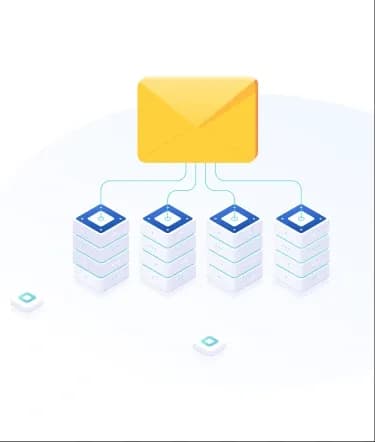
Strapi remains a top-tier choice for developers in 2026 who need to ship robust applications without getting bogged down in backend complexity. A vital component of any modern digital ecosystem is reliable communication. Whether you are managing automated password resets or triggered user notifications, a solid email foundation is non-negotiable. By moving away from local testing defaults and integrating a professional mail server, you ensure your messages actually land in the inbox rather than the void.
In the current landscape of headless CMS architecture, email serves as the primary bridge between your data and your users. Relying on default server settings often leads to "graylisting" or high bounce rates, which can damage your domain's reputation. By implementing a dedicated mail server, you gain granular control over your outbound traffic, allowing for advanced tracking, better security through modern authentication, and the ability to scale as your user base grows. This setup not only ensures high deliverability but also provides the transparency needed to debug communication flows in a production environment.
Why Use SMTP with Strapi?
Transitioning to a dedicated mail setup offers several professional advantages for your project:
Improved Delivery Rates:
Standard server mailers often trigger spam filters because they lack the proper reputation and authentication records like SPF, DKIM, and DMARC. Using specialized providers ensures your emails are recognized as legitimate through established IP warm-ups and sender reputation management, drastically reducing the chances of your critical notifications being flagged as junk or blocked entirely by major providers like Gmail or Outlook.
Modern Security Standards:
With full support for current encryption protocols like TLS 1.3, your transactional data remains protected during transit. This prevents man-in-the-middle attacks and ensures sensitive information, such as password reset tokens, account verification links, and private user data, stays private and secure from the moment it leaves your server until it reaches the recipient's inbox.
Brand Consistency:
You gain the ability to send from verified domains, which builds trust and maintains a professional image for your users. Instead of "sent via" generic headers or seeing suspicious "unverified sender" warnings, your emails appear as official communication from your specific business domain, reinforcing your brand identity with every interaction.
Granular Analytics and Logging:
Unlike basic server functions that operate in a "send and forget" mode, a dedicated mail server provides detailed, real-time logs. You can track open rates, click-through rates, and bounce reports directly, giving you the insights needed to troubleshoot failed deliveries, identify invalid email addresses, or optimize user engagement strategies based on actual behavioral data.
Scalability for Growth:
As your application expands, the volume of your automated messages will naturally increase. A professional setup handles high-concurrency sending without hitting the rigid rate limits often imposed by standard web hosting environments. This ensures that whether you are sending ten emails or ten thousand, your infrastructure remains stable and responsive without delaying time-sensitive communications.
Global Infrastructure:
Utilizing a professional provider often means your emails are routed through globally distributed data centers. This localized routing reduces latency in the mail delivery process, ensuring that users across different geographical regions receive their one-time passwords (OTPs) and transaction receipts almost instantaneously.
Hire Dedicated Developers Today!

How to implement SMTP with Strapi
Install the Strapi Email Plugin
Modern versions of the CMS utilize a modular architecture to keep the core engine lightweight and efficient. To begin, you need to add the official email package to your project environment, which provides the necessary abstraction layer to communicate with external mail servers. Open your terminal and run the following:
This installation acts as the vital bridge between your application logic and the mail server of your choice. By using the official plugin, you ensure long-term compatibility with Strapi updates and gain access to a standardized API for handling multi-part messages and attachments.
Configure the SMTP Provider
In the 2026 workflow, security best practices dictate using environment variables for all sensitive credentials to prevent accidental exposure in version control. You will find your configuration settings within config/plugins.js. If the file doesn't exist in your project structure, you should create it manually. This file allows you to override default behaviors and inject your specific server credentials.
Update the file with the following structure:
Provider: Identifies the protocol being used for the handshake. Setting this to 'smtp' tells Strapi to use the NodeMailer engine under the hood.
Host and Port: These details are provided by your mail service. Port 587 is standard for modern TLS encryption, while port 465 is typically reserved for legacy SSL connections.
Auth: This section pulls your username and secure app-specific password from your .env file. Using app-specific passwords is a critical safety measure, especially when using providers like Gmail or Outlook.
Settings: Defines the global "From" and "Reply-To" identities. This ensures that even if a specific email call forgets to define a sender, your application maintains a consistent professional identity.
Sending Emails in Strapi
With the plumbing in place, you can now trigger messages from anywhere in your backend code. This is typically done within controllers, custom services, or lifecycle hooks (such as afterCreate on a User model) using the internal email service. The API is designed to be intuitive, supporting both plain text and rich HTML content.
This simple method call allows you to integrate communication directly into your business logic. For instance, you could trigger a welcome sequence when a new user joins, send a shipping confirmation after a successful order, or dispatch real-time alerts when high-priority content is published.
If you are looking for expert guidance to scale your project, we are here to help. As verified partners, we specialize in everything from initial architecture to advanced customizations involving complex mailing workflows. Whether you need to troubleshoot a complex configuration, implement email queuing for high-traffic sites, or build a custom plugin from scratch, our team ensures your development journey is smooth, secure, and highly efficient.
Securing your credentials for SMTP with Strapi
Utilizing .env files for safety
Hardcoding passwords into your configuration files is a major security risk. In 2026, developers prioritize the use of environment variables to keep sensitive data out of the codebase. Your .env file should contain entries for SMTP_HOST, SMTP_PORT, SMTP_USERNAME, and SMTP_PASSWORD. This approach allows you to use different mail servers for development and production environments without changing the actual code.
Implementing IP Whitelisting
To further secure your mail pipeline, configure your SMTP provider to only accept requests from your application server's IP address. This adds a layer of defense against unauthorized users who might try to use your credentials if they are ever compromised. By restricting access at the network level, you ensure that even if your credentials are leaked, they cannot be used from an untrusted source.
Enforcing Modern Encryption Protocols
In 2026, legacy protocols like SSL and older versions of TLS will no longer be sufficient. When configuring your mail server, ensure you are utilizing TLS 1.3 for all outgoing communications. This version offers faster handshakes and stronger cryptographic primitives, protecting your data from sophisticated interception techniques. In your Strapi configuration, always set secure: false for port 587 to allow the STARTTLS upgrade, or secure: true for port 465 to enforce immediate encryption.
Using App-Specific Passwords and MFA
If you are using a major email provider like Gmail or Microsoft 365, never use your primary account password. Instead, enable Multi-Factor Authentication (MFA) and generate a unique App-Specific Password. This 16-character code acts as a restricted credential that only allows the specific Strapi instance to send mail, without granting access to your full account settings or personal data.
Rotating Credentials Periodically
Security is not a "set it and forget it" task. Best practices in 2026 recommend rotating your SMTP credentials every 60 to 90 days. Most professional mail providers offer API-based credential management that allows you to automate this rotation within your CI/CD pipeline, ensuring that the window of opportunity for any potential credential theft is kept to an absolute minimum.
Implementing Rate Limiting and Monitoring
To protect your domain's reputation and your mail server's resources, implement rate limiting on the application side. Strapi allows you to use middleware to cap the number of email requests a specific user or IP can trigger within a timeframe. Simultaneously, enable Audit Logging within your mail provider's dashboard to monitor for unusual spikes in traffic, which could indicate a compromised account or a bot attempting to use your server for spamming.
Advanced Email Templates in SMTP with Strapi
Creating dynamic HTML content
Standard text emails are often ignored by modern users. By using dynamic templates, you can inject user-specific data like their name, purchase history, or unique order details into a beautifully designed HTML layout. In 2026, developers frequently use advanced template engines like Handlebars or Liquid within Strapi services to generate these rich messages before sending them through the mail server.
Managing templates via the Admin UI
For projects where marketing teams need to update email content without touching code, you can build a custom Content Type in Strapi to store email subjects and bodies. Your logic then fetches these records, replaces the placeholders with actual data, and dispatches them via your configured mail provider. This separation of concerns allows developers to focus on logic while content creators maintain the brand voice.
Integrating MJML for Responsive Design
One of the biggest challenges in email development is ensuring layouts look perfect across all devices. In 2026, integrating MJML (Mailjet Markup Language) with Strapi has become the industry standard. MJML allows you to write high-level components that automatically transpile into mobile-responsive HTML. By combining an MJML plugin with your SMTP setup, you ensure your templates are consistent across Gmail, Outlook, and Apple Mail without writing complex, nested tables manually.
Multi-language Support with i18n
If your application serves a global audience, your mail server needs to communicate in multiple languages. By leveraging Strapi’s built-in Internationalization (i18n) plugin, you can create localized versions of your email templates. Your backend logic simply detects the user's preferred locale and fetches the corresponding translated subject and body before sending, ensuring a personalized experience for every user worldwide.
Using the Email Designer Plugin
For a true "no-code" experience within your CMS, the Email Designer plugin is a top recommendation. This tool provides a drag-and-drop visual editor directly inside the Strapi admin panel. You can design complex layouts, add buttons, and style your typography visually. The plugin then saves these designs as JSON or HTML, which can be easily called by your mail services to be sent via your SMTP configuration.
A/B Testing Your Templates
To truly optimize engagement, advanced Strapi setups in 2026 utilize A/B testing for transactional emails. By creating two variations of a template, such as different subject lines or CTA button colors, you can programmatically rotate which version is sent. By tracking open rates and click-through data provided by your professional mail server, you can identify which template performs better and refine your communication strategy accordingly.
Testing your setup for SMTP with Strapi
Using local development tools
Before connecting to a live production server, use tools like Mailtrap or Mailhog. These services act as "fake" SMTP servers that catch your outgoing emails in a virtual inbox. This allows you to inspect the layout and headers of your messages without actually sending them to real users during the development phase.
- Sandboxed Environment: By using a sandbox, you prevent accidental emails from reaching real users while you are still debugging your application logic.
- Header Inspection: These tools allow you to view the raw metadata of your emails, ensuring that your "From" and "Reply-To" addresses are correctly formatted according to your SMTP with Strapi configuration.
- HTML/CSS Validation: You can check for broken links or CSS properties that might not be supported by popular email clients like Outlook or Gmail before the code goes live.
Verifying SPF and DKIM records
To ensure your messages don't end up in the spam folder once you go live, use online verification tools to check your domain's DNS records. Your SMTP provider will give you specific TXT records that must be added to your domain registrar to prove that Strapi has the authority to send mail on your behalf.
- SPF (Sender Policy Framework): This record lists the IP addresses and services authorized to send mail from your domain. Ensure you only have one SPF record per domain to avoid validation errors.
- DKIM (DomainKeys Identified Mail): This adds a digital signature to your emails, allowing the receiving server to verify that the message content hasn't been tampered with during transit.
- DMARC Alignment: Implementing a DMARC policy tells receiving servers what to do if SPF or DKIM fails. In 2026, having a "reject" or "quarantine" policy is essential for maintaining a high sender reputation.
Real-world Inbox Placement Testing
Once your DNS records are active, perform a "litmus test" by sending real emails to a variety of providers. Tools like GlockApps or Mail-Tester provide a score based on how "spammy" your email looks to modern filters.
- Blacklist Monitoring: Verify that your sending IP or domain hasn't been flagged on major blacklists, which can happen if you are using shared hosting IPs.
- SpamAssassin Scoring: Most professional testing tools will give you a "Spam Score." Aim for a score of 10/10 by ensuring your HTML-to-text ratio is balanced, and you are avoiding common "trigger words."
- Propagation Check: Remember that DNS changes can take up to 48 hours to fully propagate globally. Use a global DNS checker to verify your SPF and DKIM records are visible across different regions before launching major campaigns.
Hire Dedicated Developers Today!
Optimizing performance for SMTP with Strapi
Implementing Background Jobs
Sending an email can take several seconds due to the "handshake" process with the mail server. This delay can slow down the user's experience if they have to wait for the process to finish after clicking a button. In 2026, the industry standard for SMTP with Strapi involves offloading these tasks to a background worker.
- Decoupled Architecture: By using a queue system like BullMQ or Redis, your application logs the "intent" to send an email and immediately returns a success response to the user.
- Retry Logic: Background workers can be configured to automatically retry failed email attempts if the mail server is temporarily unreachable, ensuring no critical communication is lost.
- Concurrency Control: You can limit how many emails are sent simultaneously, preventing your mail server from being overwhelmed or flagged for unusual traffic spikes.
Monitoring delivery metrics
In 2026, data-driven decisions are key to maintaining a healthy digital ecosystem. Using webhooks provided by your mail service allows you to feed real-time data back into your CMS, transforming it from a simple sender into a powerful communication dashboard.
- Real-time Feedback Loops: Create a "Mail Logs" collection in Strapi to record every event delivered, opened, clicked, or bounced, giving your team instant visibility into campaign performance.
- Bounce Management: Automatically flag or deactivate user accounts that result in "hard bounces" to protect your sender reputation and keep your mailing list clean.
- Engagement Tracking: Use click-through rates (CTR) to understand which automated notifications (like abandoned cart reminders) are actually driving user action.
Connection Pooling and Persistent SMTP
Standard SMTP connections are often opened and closed for every single message, which adds significant overhead. Optimizing the way Strapi talks to your mail server can lead to massive performance gains, especially during high-traffic periods.
- Pooled Connections: Configure your transport settings to keep a pool of open connections. This eliminates the time-consuming TCP/TLS handshake for every individual email sent.
- Reduced Latency: Maintaining a persistent connection to your provider's relay allows for near-instantaneous message dispatching, which is critical for time-sensitive OTPs (One-Time Passwords).
- Resource Efficiency: Reducing the number of active handshakes lowers the CPU and memory load on your Strapi server, allowing it to handle more API requests simultaneously.
Content Compression and Payload Reduction
Large HTML templates with embedded images can slow down the delivery process and consume excessive bandwidth. Performance-focused developers in 2026 prioritize lean payloads to ensure fast rendering across all devices.
- Minified HTML: Always minify your email templates before sending them. Removing unnecessary whitespace and comments reduces the file size, making it faster to transmit via SMTP.
- External Asset Hosting: Never embed large images directly into the email body as Base64. Instead, host them on a CDN and use absolute URLs to keep the email's MIME size as small as possible.
- Multipart/Alternative Headers: Ensure your configuration sends both HTML and Plain Text versions. This not only improves deliverability but also allows low-bandwidth clients to load your content faster.
Implementing Smart Rate Limiting
To prevent your application from accidentally spamming users or being throttled by your SMTP provider, you must implement intelligent rate limiting at the application level.
- Per-User Thresholds: Set limits on how many transactional emails (like password resets) a single user ID or IP address can trigger within an hour.
- Global Throughput Caps: Align your Strapi sending speed with the limits of your mail server's plan to avoid "421 Too Many Connections" errors.
- Prioritization Queues: Use a dual-queue system where urgent system alerts (like security warnings) bypass non-urgent marketing updates, ensuring critical info is always delivered first.
High Availability and Fallback for SMTP with Strapi
Configuring Multiple SMTP Relays
In mission-critical applications, relying on a single mail server can be a point of failure. Modern 2026 workflows involve configuring multiple SMTP relays within your Strapi custom services. If the primary provider experiences downtime or a service outage, your logic can catch the error and automatically switch to a secondary provider (like Amazon SES or SendGrid) to maintain uninterrupted service.
- Redundancy Management: By defining a primary and secondary provider in your environment variables, you create a failover system that ensures zero downtime for critical notifications.
- Provider Diversification: Using different infrastructure providers (e.g., one on AWS and one on a dedicated SMTP relay) protects your application from regional cloud outages.
- Cost Optimization: You can route high-priority transactional mail through a premium provider while using a more cost-effective relay for standard notifications, switching only when necessary.
Handling Soft Bounces and Temporary Errors
Not every failed delivery is permanent. Some are "soft bounces" caused by a full inbox or temporary server issues on the recipient's end. By implementing a smart fallback logic in your SMTP with Strapi setup, you can schedule these messages for a delayed retry. This ensures that transient network issues do not prevent your users from receiving important transaction receipts or verification codes.
- Exponential Backoff: Implement a retry strategy where the system waits progressively longer between attempts (e.g., 5 minutes, then 30 minutes, then 2 hours) to avoid being flagged as a spammer during recipient downtime.
- Error Categorization: Use the error codes returned by the SMTP server to distinguish between "User Not Found" (hard bounce) and "Connection Timeout" (soft bounce), ensuring you only retry when it makes sense.
- Database Tracking: Log every failed attempt in a custom Strapi collection to maintain a history of delivery issues, which is vital for troubleshooting systemic problems with specific domains.
Implementing Circuit Breaker Patterns
To prevent your application from wasting resources on a failing connection, the circuit breaker pattern is essential in 2026. If the mail server fails multiple times in a short window, the "circuit" opens, and the system temporarily stops attempting to use that provider.
- Automatic Failover: When the primary circuit opens, Strapi automatically diverts all traffic to your backup SMTP relay without requiring manual intervention.
- Self-Healing Checks: The system periodically sends a "test" heartbeat to the primary server; once it responds successfully, the circuit closes, and normal operations resume.
- System Protection: This prevents a cascading failure where a slow or unresponsive mail server causes your Strapi API requests to hang, preserving the performance of the rest of your backend.
Real-time Status Dashboards
Integrating high availability isn't just about the code; it's about visibility. Modern setups use the data from these fallback events to power internal monitoring tools.
- Service Health Monitoring: Build a simple view in the Strapi admin panel that shows the current status of your primary and secondary SMTP providers.
- Alerting Notifications: Configure your backend to send a Slack or Discord alert to your dev team the moment a fallback occurs, allowing for proactive investigation before users notice an issue.
- Uptime Reporting: By logging which provider was used for each email, you can generate monthly reports on provider reliability and performance, helping you decide which services offer the best value for your project.
Conclusion
Configuring a robust email system is no longer just about sending messages; it is about building a secure, scalable, and highly available communication bridge. By mastering SMTP with Strapi through the strategies outlined in this guide, from modern encryption and background job processing to advanced fallback logic, you ensure that your application remains professional and dependable. As digital ecosystems become more complex in 2026, having the right infrastructure allows you to focus on your core business logic while your mail server handles the heavy lifting of user engagement.
If you are looking to build a complex application or need specialized assistance to optimize your backend architecture, it is often best to Hire Dedicated Developers who understand the nuances of high-performance CMS integrations. At Zignuts, we provide expert Strapi solutions tailored to your unique requirements.
Contact Zignuts today to discuss your project requirements or to resolve any technical challenges. Our team of verified Strapi partners is ready to help you build and scale a seamless, enterprise-grade application experience.

Ekta Trivedi
A Node.js enthusiast focused on building scalable, high-performance applications that power the next generation of web technologies