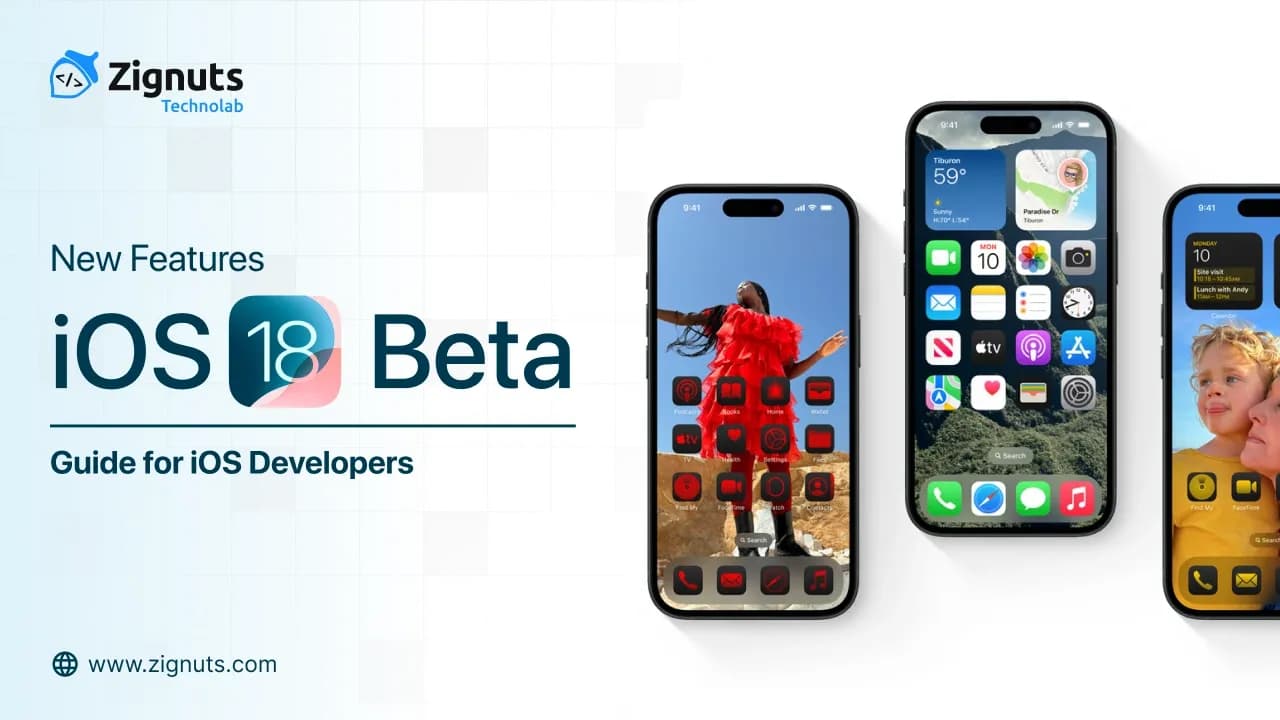
The transition to iOS 26 Beta marks the most significant architectural and visual shift in Apple’s history, effectively ending the era of flat design that defined the last decade. For developers, this isn’t just another incremental update it’s a total reimagining of the relationship between software and hardware. We have officially moved into the Liquid Glass Era, where interfaces are no longer static grids but fluid, living materials that refract light and respond to physical movement.
This leap forward is anchored by a historic realignment in the AI landscape: the deep, system-level integration of Google Gemini into the core of Apple Intelligence. By merging Apple’s renowned privacy-first Private Cloud Compute with the reasoning power of Gemini models, the iOS 26 Beta transforms Siri into a proactive agent capable of complex, cross-app execution.
For the developer community, this creates a dual challenge and a massive opportunity. You are no longer just building "apps"; you are crafting Intelligent Spatial Experiences. You must now learn to leverage the LiquidMaterial framework to satisfy a user base that expects depth and transparency, while simultaneously exposing your app's core logic through the Foundation Models API to participate in the new agentic ecosystem.
Building for the iOS 26 Beta requires a shift in how you think about materials. We are moving away from the "frosted glass" of the past and into a world of physical simulation.
Here is the expanded technical deep-dive into the first pillar of your roadmap.
Mastering the "Liquid Glass" Design Language in iOS 26 Beta
The iOS 26 Beta has officially retired the flat design era in favor of Liquid Glass. This isn't just a visual skin; it is a dynamic material system that mimics the optical properties of real-world glass, featuring translucency, refraction, and motion responsiveness that intelligently adapts to the environment.
Adaptive Transparency & The LiquidMaterial Framework
In the iOS 26 Beta, apps now utilize the LiquidMaterial framework. This allows containers to take on a "Clear" theme that goes beyond simple opacity.
- Real-Time Refraction: Using the device’s GPU, the UI now subtly bends the background content behind it, simulating the way light passes through a curved lens.
- Dynamic Lensing: As users scroll, the "Clear" materials react to the speed of movement, creating a trailing lensing effect that makes the interface feel truly fluid.
- Environmental Adaptation: The material automatically shifts its tint and refractive index based on the primary colors of the user's wallpaper, ensuring that your app always feels native to the user's personal setup.
The Icon Composer: Redefining the Home Screen
The traditional 2D icon is a relic. Xcode 27 introduces the Icon Composer, a dedicated tool for the iOS 26 Beta cycle that forces a multi-layered approach to branding.
- Layered Compositions: Icons are now built as a stack of semi-transparent, overlapping shapes. The system handles the masking and blurring, allowing the user's wallpaper to "peek through" the gaps in your logo.
- Dynamic Lighting: Use the lighting angle dial in the Icon Composer to test how your icon reacts to specular highlights. When the user tilts their phone, your icon should reflect "light" from the environment, reinforcing its 3D presence.
- Rendering Modes: You must now provide specific variants for Default, Dark, and Mono (Tinted) modes within a single .icon file, ensuring high-contrast legibility even in the new, highly transparent system views.
Volumetric Spacing & Floating UI
Navigation in the iOS 26 Beta has moved to a distinct functional layer. The concept of "edge-to-edge" has been replaced by Volumetric Spacing.
- Floating Tab Bars: Standard tab bars now float in a pill-shaped container, detached from the screen edges. This creates a "Shadow Gap" that Siri uses to highlight on-screen elements it is currently interacting with.
- Morphing Transitions: Using the new GlassEffectContainer in SwiftUI, UI elements can now "coalesce" or separate. For example, a single action button can fluidly morph into a full context menu without a harsh cut or popover animation.
- The "Clear" Dock: In the iOS 26 Beta, even the system Dock is fully transparent. Developers should avoid solid background colors in their own navigation bars to prevent breaking this sense of spatial depth.
Here is the expanded technical section for the second pillar of your roadmap, updated with the latest integration details available in the January 2026 landscape.
Siri 2.0: Powered by Google Gemini in iOS 26 Beta
In a historic shift for the iOS 26 Beta cycle, Apple has officially integrated customized Google Gemini models into the Private Cloud Compute (PCC) architecture. This partnership transforms Siri from a simple command-executor into a high-reasoning Autonomous Agent. For developers, this means Siri is no longer a wrapper for voice commands; it is a sophisticated bridge that understands your app's deep data and context.
On-Screen Awareness & Semantic Indexing
The iOS 26 Beta introduces a revolutionary "On-Screen Awareness" engine. By utilizing the updated App Intents framework, Siri can now virtually "see" and interpret the active state of your application.
- Semantic Content Extraction: When a user asks, "Siri, what's the summary of this?", the system doesn't just read the text; it uses the AppEntity macro to parse the hierarchy of your view. It identifies relevant metadata like flight numbers, order IDs, or ingredient lists and generates a concise response using the Gemini backend.
- Visual Intelligence Integration: In the iOS 26 Beta, users can point the camera at an object and ask their app for information. By implementing IntentValueQuery, your app can provide custom snippets directly into the Siri overlay, allowing users to interact with your app's logic without ever tapping your icon.
- NSUserActivity Mapping: Developers must now associate AppEntities with the NSUserActivity object. This creates a real-time link between what the user is doing and what Siri knows, enabling queries like "Send this to my manager," where Siri correctly identifies "this" as the document currently open in your app.
Agentic Workflows & Multi-Step Intent Chaining
The most powerful feature of the iOS 26 Beta for developers is the ability to facilitate Agentic Workflows. Siri can now orchestrate complex tasks that span multiple apps and system services.
- Assistant Schemas: Apple has introduced standardized Assistant Schemas (e.g., .photos, .browser, .files). By conforming your intents to these schemas using the @AppIntent(schema:) macro, you allow Siri to include your app in its high-level reasoning chain.
- Recursive Action Handling: If a user says, "Siri, find the invitation in my messages, check my calendar for next Tuesday, and book a table for four in my dining app," the system handles the logic flow. As long as your dining app has the correct intent schema, Siri will autonomously navigate the booking process and only prompt the user for a final confirmation.
- Zero-Metadata Intents: In the iOS 26 Beta, if your intents conform to a known schema, the system no longer requires manual titles or descriptions. The Gemini-powered engine understands the purpose of the action (e.g., set_reservation) based on its functional signature, reducing your boilerplate code significantly.
Private Cloud Compute & Gemini Privacy
Despite using Google’s model architecture, the iOS 26 Beta maintains Apple's "Privacy First" mantra.
- Encapsulated Inference: Gemini models run on Apple’s own silicon servers within the Private Cloud Compute. This ensures that while Gemini provides the reasoning, your user's sensitive data is never logged or shared with Google's public cloud.
- On-Device Fallback: For simpler tasks, the iOS 26 Beta uses a local, 7B-parameter Apple-built model to ensure maximum speed and offline functionality, only "scaling up" to the Gemini cloud for complex, multi-step queries.
The Foundation Models Framework in iOS 26 Beta
Apple has effectively democratized generative AI with the iOS 26 Beta. Developers no longer need to manage complex, expensive server-side LLMs for core intelligent features. By exposing the system's underlying ~3B-parameter language model through a streamlined Swift API, the Foundation Models framework allows you to integrate high-level reasoning with as little as three lines of code.
Native Generative AI & The LanguageModelSession
The iOS 26 Beta introduces the LanguageModelSession, a dedicated context for interacting with on-device intelligence while maintaining strict user privacy.
- Guided Generation with @Generable: One of the most significant updates is the ability to enforce structured output. By using the @Generable macro on a standard Swift struct, you can force the model to return data in a specific JSON-like format. For example, if you ask for a "Workout Routine," the model will return a type-safe object with sets, reps, and rest times rather than raw text.
- Tone Shifting & Rewriting: Use the new WritingToolsDelegate to offer "System-Level Rewrite" features within your custom text views. In the iOS 26 Beta, you can programmatically trigger a "Professional," "Friendly," or "Concise" transformation of user text using the on-device model's rewriting engine.
- Contextual Summarization: The framework now supports prewarm() logic, allowing you to cache prompts and system instructions in memory. This reduces the "Time to First Token" to near-zero, enabling instant summaries of long notes, support tickets, or chat threads as soon as the user navigates to them.
Visual Intelligence API: Beyond the Viewfinder
In the iOS 26 Beta, "Visual Intelligence" is a system-wide layer that your app can now participate in. This isn't just about the camera; it's about the system understanding everything on the user's screen.
- Deep Link Snippets via App Intents: By implementing the VisualSearchIntent, your app can provide "Interactive Snippets" when a user performs a visual search on a screenshot or through the camera. For instance, if a user circles a pair of shoes in a photo, your retail app can surface a snippet with the price, availability, and a "Buy Now" button directly in the system search UI.
- Scene and Object Classification: The iOS 26 Beta provides a new VisualIntelligenceObserver that notifies your app when specific categories of objects are detected in the viewfinder. This allows for "Zero-Tap" experiences, such as a recipe app automatically showing nutrition facts when it detects a specific fruit.
- Semantic Search for Media: You can now index your app’s internal media library using the system's shared embedding space. This means users can find content in your app by searching in Spotlight with natural language descriptions (e.g., "Show me the sunset photo from my hiking app").
Privacy-Preserving AI Training
A standout feature of the iOS 26 Beta is the Foundation Models Adapter Training. Developers can now "fine-tune" the on-device model for specific niche tasks using small, specialized data sets called Adapters.
- On-Device Learning: These adapters allow your app to learn a user's specific vocabulary or style over time without ever sending their data to a server.
- Model Availability Checks: Always use the new model.availability property to check if the user has enabled Apple Intelligence and if the device (A17 Pro/M2 and later) is capable of running the request locally before execution.
Building for the iOS 26 Beta means moving beyond the screen and into the user's environment. Spatial computing has evolved from an enthusiast feature to a core developer requirement.
RealityKit 6 & The Spatial Unified Pipeline in iOS 26 Beta
Spatial computing is no longer a niche for headsets. The iOS 26 Beta marks the completion of the "Spatial Unified Pipeline," where RealityKit 6 allows you to write spatial code once and deploy it across iPhone 17 Pro, iPad Pro, and Apple Vision Pro 2 with native precision.
Unified Reality: One Project, Many Dimensions
RealityKit 6 introduces a truly responsive spatial engine that scales based on the hardware's capabilities.
- Unified Coordinate Conversion: Moving entities between a 2D SwiftUI view and a 3D spatial scene is now handled by the SpatialCoordinateBridge. This means a button in your iPhone app can "fly" out of the screen and become a floating 3D control on a Vision Pro without recalculating world-space anchors.
- MeshInstancesComponent: For developers building complex environments, the new MeshInstancesComponent allows you to render thousands of unique 3D assets with minimal GPU overhead. This is essential for the iOS 26 Beta as the system now supports persistent, room-scale "Digital Twins" of a user's home.
- Environmental Occlusion: Virtual objects in your app now respect real-world geometry more accurately. Using the LiDAR data from the iPhone 17 Pro, objects can now hide behind couches or under tables with "Hard Edge" precision, making the digital blend indistinguishable from reality.
Spatial Video 2.0 & Interactive Captures
Spatial media has moved from "view-only" to "interactive" in the iOS 26 Beta.
- ManipulationComponent: This is the most significant addition to the ECS (Entity Component System) this year. By adding the ManipulationComponent to any 3D entity, you enable 6DoF interaction. Users can reach into their iPhone's "Spatial Window" to rotate, scale, and move virtual objects using natural hand gestures or the new pressure-sensitive touch screen.
- Six Degrees of Freedom (6DoF) Video: Spatial Video 2.0 isn't just a 3D movie; it’s a navigable scene. When a user records spatial video on an iPhone 17 Pro, RealityKit 6 now stores depth-mesh data. This allows viewers to "lean in" to the video or see around corners of the recorded environment, a feature previously reserved for high-end volumetric captures.
- ViewAttachmentComponent: You can now declare standard SwiftUI UI elements directly inline with your RealityKit entities. This allows for "Spatial Tooltips" that follow an object as it moves through the room, providing real-time data overlays that feel physically attached to the 3D model.
Persistent Anchors & Haptic Air Interaction
In the iOS 26 Beta, digital content stays where you put it.
- Persistence APIs: With the new AnchorPersistenceSession, you can "lock" a virtual object to a physical surface. When the user closes your app and returns three days later, the object will still be there, anchored to the exact same spot on their desk.
- Haptic Air Feedback: Leveraging the refined Ultra-Wideband (UWB) and Taptic Engine, your app can now trigger "proximity haptics." As a user's hand approaches a virtual 3D object on the screen, the iPhone generates micro-vibrations that simulate the "tension" of the air, giving a tactile sense of distance.
Here is the final, expanded technical deep-dive for the fifth pillar of your iOS 26 Beta developer guide.
The New Apple Games App & Social Frameworks in iOS 26 Beta
A major addition to the iOS 26 Beta is the dedicated Apple Games App, a centralized hub that shifts gaming from a standalone experience to a social ecosystem. This app acts as a "Command Center" for players, but for developers, it is a high-visibility surface area where your game can be discovered, launched, and re-engaged through sophisticated social triggers.
Integrated Game Center Challenges & The Activities API
Developers can now leverage the Challenges API to transform single-player milestones into competitive social events. This is powered by the new Activities API, which links players directly to specific gameplay moments.
- Deep-Linked Gameplay: By describing your gameplay with "Activities," you can create deep links that send players directly to a specific level, daily puzzle, or boss fight when they accept a challenge.
- Score-Based Competitions: Use the Configuring Game Center Challenges toolset to set time-limited events where friends compete for the top spot. The system handles the notifications, reminding friends when they've been overtaken.
- Automatic Rematches: The iOS 26 Beta simplifies retention by offering "Instant Rematch" buttons within the Games App, allowing losers to jump back into your game exactly where they left off to try and reclaim their rank.
Real-Time Leaderboard Injection & Game Overlay
The iOS 26 Beta introduces the Game Center Overlay, a system-level UI that sits above your game without interrupting the rendering loop.
- GameCenterOverlay View: Use this to show live score updates from friends directly within your game’s UI. This eliminates the need for users to leave your app to check their standings.
- Interactive Friend Activity: The overlay now supports "Join Game" prompts. If a friend is currently playing a multiplayer mode, your app can surface a "Join" button within the overlay, managed by the new GKAccessPoint refinements.
- System Gesture Handling: For controller-supported games, a single press of the Home button now triggers this overlay. You can use the preferredSystemGestureState API to customize how your game reacts to these system-level interruptions.
Activity Discovery & AI Recommendation Engine
Discovery in the iOS 26 Beta is no longer a manual process for the user. Your game’s In-App Events are now automatically surfaced in the Games App’s "Discover" tab.
- Personalized AI Algorithms: The Games App uses an on-device recommendation engine that analyzes a user's download history and gameplay patterns to suggest your game.
- Social Graph Discovery: If a user’s friend group is frequently playing your title, the "Play Together" tab in the iOS 26 Beta will prioritize your game for that circle, even for users who haven't downloaded it yet.
- In-App Event Prominence: High-quality events (like seasonal tournaments or new content drops) are featured in a rotating carousel on the Home tab. By indexing these events in App Store Connect, you gain free, high-intent traffic directly from the system hub.
Privacy-Preserved Social Engagement
Even with these social features, the iOS 26 Beta remains privacy-focused.
- Declared Age Range API: This new API allows your game to tailor its social features to be age-appropriate. You can restrict certain social interactions for younger players while maintaining user privacy through a decentralized verification system.
- Anonymous Matchmaking: The system now supports "Privacy-First" lobby names and player IDs, ensuring that social competition doesn't lead to unwanted data exposure.
Developer Experience: Swift 6.2 & Xcode 27 in iOS 26 Beta
Building for the iOS 26 Beta is faster, safer, and more intuitive than ever, thanks to the maturity of Swift 6.2 and the intelligent automation within Xcode 27. This year’s tools are focused on "Approachable Concurrency" and providing high-fidelity previews that simulate the new physical UI materials of the Liquid Glass era.
Approachable Concurrency & Single-Threaded by Default
Swift 6.2 introduces a paradigm shift in how we handle multitasking in the iOS 26 Beta. The goal is to make data-race safety invisible for beginners while providing surgical control for experts.
- MainActor Isolation by Default: In the iOS 26 Beta, new projects can opt into "Single-threaded by default" mode. This implicitly applies @MainActor to your entire app, allowing you to write UI code without constant annotations. The compiler only forces concurrency checks when you explicitly move work to a background thread using the new @concurrent attribute.
- Predictable Async Functions: Previously, nonisolated async functions would always hop to a global thread pool, causing unexpected context switches. In Swift 6.2, these functions now run on the caller’s executor by default. This makes your code more predictable and significantly reduces the overhead of "thread hopping."
- Span & Inline Arrays: For performance-critical apps (like those handling real-time Liquid Glass refractions), Swift 6.2 introduces InlineArray and the Span type. These allow you to work with fixed-size buffers directly on the stack, avoiding heap allocations and ensuring your "hot loops" run with maximum efficiency on the A19 Pro chip.
Xcode 27: The Spatial & AI Canvas
Xcode 27 is no longer just a code editor; it’s an interactive simulation environment designed specifically for the iOS 26 Beta.
- Live Liquid Previews: The SwiftUI canvas now features a "Physicality Mode." This allows you to test how your Liquid Glass materials react to virtual device tilting and light source changes without deploying to a physical device. You can visually debug refraction indices and lensing effects in real-time.
- Predictive Swift Assist: Xcode 27 includes a local LLM that assists in writing App Intents. As you type, the editor suggests the most efficient ways to map your app's functions to Siri’s new agentic workflows, often generating the necessary @AppIntent boilerplate for you.
- Next-Gen SwiftUI Instrument: A new profiling tool in Instruments tracks the "Cause & Effect" of view updates. It helps you identify exactly which state change triggered a re-render, which is vital for maintaining 120fps fluidity in the depth-heavy interfaces of the iOS 26 Beta.
The Call Translation API & Global Communication
The iOS 26 Beta opens up Apple’s proprietary translation technology to third-party developers through the Call Translation API.
- On-Device Privacy: Like system-wide translation, this API runs entirely on the Apple Neural Engine. Whether you are building a VoIP app or a social messaging platform, you can now offer real-time, two-way voice and text translation that never leaves the user's device.
- Seamless Integration: By implementing the TranslationSession, your app can automatically detect the recipient's language and provide a "translated overlay" for incoming audio or text, making your app globally accessible from day one.
- Custom Vocabulary Adapters: You can provide a "Context Dictionary" to the API, ensuring that industry-specific terms or app-specific slang are translated accurately rather than literally.
Conclusion: Building for a Glass-First, AI-Native Future
The iOS 26 Beta has successfully bridged the gap between raw computing power and organic user experiences. By retiring flat design and embracing the Liquid Glass aesthetic, Apple has challenged developers to think volumetrically. Simultaneously, the integration of Google Gemini into the Siri agentic framework ensures that apps are no longer isolated silos but interconnected participants in a proactive ecosystem.
To truly capitalize on these architectural shifts and stay ahead of the competition, businesses need specialized talent that understands the nuances of Swift 6.2 and RealityKit 6. When you are ready to scale your development team for this new era, the best path forward is to Hire iOS Developers who are well-versed in these cutting-edge frameworks.
Ready to transform your vision into a Liquid Glass reality? Our team at Zignuts is here to help you navigate the complexities of the latest Apple ecosystem. Contact Zignuts today to start building the future of spatial and AI-driven mobile applications.

Zignuts Technolab
Zignuts Technolab delivers future-ready tech solutions and keeps you updated with the latest innovations through our blogs. Read, learn, and share!