


.svg)

.svg)


.svg)

.svg)



Introduction
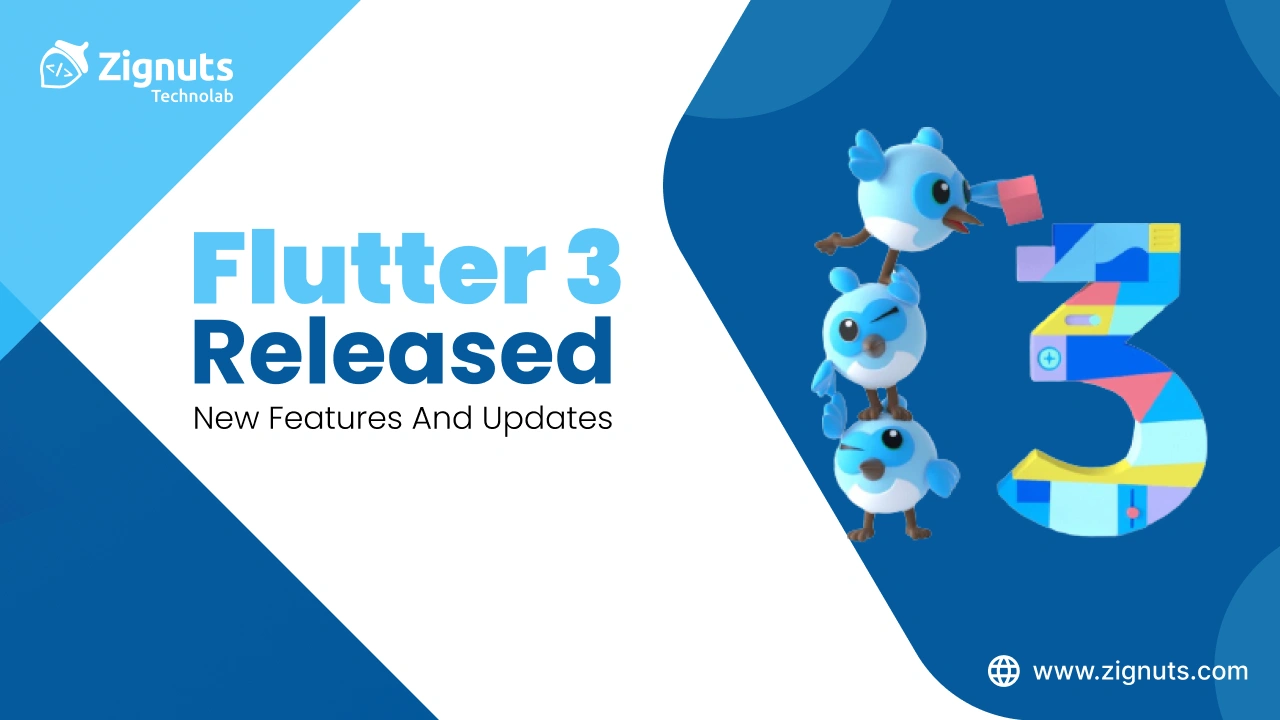
As we stand in 2026, it is remarkable to look back at the milestone Google achieved in May 2022. While Flutter was already established as an open-source, cross-platform UI framework, the release of Flutter 3.0 served as the definitive "summer gift" that forever changed the trajectory for Flutter developers. It was the moment the framework matured into a production-grade, programmer-friendly toolkit, moving far beyond its mobile roots to conquer the entire desktop and web landscape.
Today, the impact of that 3.0 update is more visible than ever. It brought the long-awaited stable support for macOS and Linux, native backing for Apple Silicon, and the refined performance that paved the way for the high-speed, AI-integrated applications we build in 2026. For Flutter developers, this wasn't just another version; it was the foundation of the "Production Era," enabling a single codebase to power everything from foldable mobile devices to complex desktop SaaS products. The latest Flutter 3.0 ecosystem remains ready to go, equipped with the features that turned the dream of "ambient computing" into a daily reality for millions of users.
Dart 4.x & The Evolution of Flutter 3.0
The journey that began with Flutter 3.0 and Dart 2.17 has now evolved into the high-performance Dart 4.x environment used in 2026. Looking back, the innovations introduced in the 3.0 era weren't just incremental updates; they were the architectural shifts that redefined how Flutter developers approach object-oriented programming and system efficiency.
The Legacy of Enhanced Enums
Introduced in Dart 2.17 during the Flutter 3.0 launch, Enhanced Enums transformed what was once a simple list of constants into a powerful, class-like data modeling tool.
- Logic-Driven Data:
Enums moved beyond simple labels to become fully functional classes. They can now host fields, methods, and const constructors, allowing Flutter developers to embed UI-specific logic (like colors, icons, or labels) directly within the data structure rather than relying on external "switch" statement helpers.
- Interfaces and Mixins:
Unlike standard enums, enhanced enums can implement interfaces and apply mixins. This allows them to inherit shared behaviors, making them perfect for complex state machines or standardized API response handling.
- State Management:
This shift allowed for more robust patterns where the "state" itself carries the logic for its transitions, reducing the reliance on bulky external controllers.
Super Parameters & Developer Velocity
Before Flutter 3.0, "forwarding constructors" were a primary source of code bloat. Developers had to manually repeat every parameter name when passing it from a subclass to a superclass.
- Massive Boilerplate Reduction:
The introduction of the super.parameter syntax allowed Flutter developers to pass arguments to a super constructor automatically. In fact, the Flutter team was able to delete nearly 2,000 lines of code from the framework itself just by adopting this feature.
- Scalable Widget Trees:
This update made complex widget trees significantly easier to scan and maintain. By 2026, this has become the "Good" standard in the use_super_parameters linter rule, ensuring codebases remain lean as they grow.
- Error Prevention:
By removing the need to type parameter names twice, it eliminated a common source of "copy-paste" bugs where the wrong variable was accidentally passed to the superclass.
Named Args Everywhere: The UX of Code
Flutter 3.0 introduced a subtle but powerful change: the ability to place named arguments anywhere in a function call, even after positional arguments.
- Fluid API Design:
This flexibility allows Flutter developers to write code that reads more like a natural sentence. For example, you can now place a large trailing lambda (like a builder function) at the very end of a call, even if other named parameters follow it in the definition.
- Improved Refactoring:
Developers no longer have to worry about the specific "order" of arguments when adding new properties to a widget. This has significantly reduced the friction during rapid UI prototyping.
- Self-Documenting Code:
By 2026, this has matured into a standard practice where the most "descriptive" or "visual" arguments are placed at the end, making the code's intent crystal clear at a glance.
The Bridge to Dart 4.x: Records and AI-Generation
While Flutter 3.0 set the stage, the evolution continued into our current 4.x versions, bringing features that were once only dreams:
- Records & Destructuring:
Building on the productivity goals of 3.0, Dart now supports lightweight "Records" (tuples), allowing functions to return multiple values without the ceremony of creating a new class.
- Native Macros:
In 2026, the manual "JSON serialization" struggle is dead. Modern Dart uses static metaprogramming (Macros) to generate code at compile-time, a direct evolution of the productivity-first mindset born in Flutter 3.0.
- Wasm-Native Compilation:
The "refinements for web" mentioned in the 3.0 release have culminated in full WebAssembly (Wasm) support, providing near-native performance for web apps in 2026.
Stable Desktop Support in Flutter 3.0
In just months following Windows stability, Flutter 3.0 presented developers with the ability to build production-ready desktop support for all major systems. This was the moment Flutter officially completed its "Grand Slam," moving from a mobile-first framework to a full-fledged application platform for the six most popular operating systems.
Native Power with Universal Binaries
Google’s focus on the macOS ecosystem during the Flutter 3.0 launch ensured that apps didn't just run, they thrived.
- Apple Silicon & Intel Integration:
By supporting Universal Binaries, Flutter 3.0 enabled a single app bundle to run natively on both Intel-based Macs and the M1/M2/M3/M4 Apple Silicon architecture. This eliminated the performance overhead of Rosetta 2 translation, providing users with the lightning-fast startup times and battery efficiency they expect.
- Optimized Build Tooling:
The introduction of the flutter build macos command as a stable feature allowed for seamless Xcode archiving and distribution, making the leap from mobile to desktop virtually friction-free for existing Flutter developers.
Strategic Collaboration with Canonical (Linux)
The "top-of-the-class" Linux experience in Flutter 3.0 was the result of a deep partnership between Google and Canonical (the makers of Ubuntu).
- System-Level Integration:
This collaboration brought first-class support for Linux-specific services, including dbus, gsettings, and desktop notifications. It allowed Flutter apps to feel like a native part of the Linux environment rather than a ported mobile app.
- Snap Store Distribution:
Canonical ensured that publishing was simplified through Snapcraft, allowing Flutter developers to reach millions of Linux users across dozens of distributions with a single, sandboxed package that handles all dependencies automatically.
Advanced Desktop Features & Accessibility
Flutter 3.0 went beyond "rendering pixels" to address the nuances of desktop interaction.
- Platform Menu Bars:
Using the PlatformMenuBar widget, developers could create native system menus on macOS. This allowed for deep integration, such as inserting platform-only menus and controlling the standard "File" and "Edit" items that desktop users rely on.
- Full Accessibility & Internationalization:
- Screen Readers & Inverted Colors: Flutter 3.0 brought stable support for screen readers (Narrator on Windows, VoiceOver on macOS, and Orca on Linux), ensuring that desktop apps are inclusive from day one.
- Complex Text Input (IMEs): The framework achieved comprehensive support for International Input Method Editors (IMEs). This was crucial for languages like Chinese, Japanese, and Korean, where complex character selection is a core part of the desktop experience.
- Cascading Menus: This version began the implementation of native-feeling cascading menus, allowing for the complex navigation hierarchies often required by professional-grade desktop productivity tools.
macOS and Linux Support in Flutter 3.0
The launch of Flutter 3.0 brought a decisive halt to the cumbersome task of manually configuring and adding desktop platforms. It transformed the framework into the most versatile cross-platform engine on the market, essentially turning the "Big Three" desktop operating systems into first-class citizens alongside mobile. Flutter developers could suddenly create high-performance applications for macOS and Linux with the same intuitive ease they had grown accustomed to on Android and iOS.
A Native Revolution for macOS
For the Mac ecosystem, Flutter 3.0 was a game-changer that addressed both hardware evolution and UI expectations.
- The Apple Silicon Milestone:
While previous versions worked via Rosetta translation, Flutter 3.0 introduced full, native support for Apple Silicon (M1/M2/M3/M4). This meant that the Dart SDK could now compile ARM 64-bit binaries directly, resulting in significantly faster app launch times and peak performance on modern Mac hardware.
- Universal Binaries by Default:
With the flutter build macos command, the framework began producing Universal Binaries. These single executables contain code for both Intel and Apple Silicon architectures, ensuring that Flutter developers can distribute one app that runs optimally on every Mac in use today.
- System Appearance Integration:
Beyond the menu bar, this version improved support for the macOS "Look and Feel," allowing apps to respect system-wide themes and transparency effects, making them indistinguishable from apps built with Swift or Objective-C.
Deep Linux Shell Integration
The stability of Linux support in Flutter 3.0 was not just a solo effort by Google; it was a strategic partnership with Canonical, the organization behind Ubuntu.
- System Services Access:
This collaboration produced a suite of packages that allowed Flutter apps to communicate directly with Linux system services. Flutter developers gained access to dbus for inter-process communication, gsettings for system preferences, and the Network Manager for handling connectivity features previously difficult to implement in a cross-platform way.
- Yaru Theme & Branding:
To ensure apps felt at home on the world’s most popular Linux distribution, Flutter 3.0 added support for the Yaru theme. This allowed developers to match the signature Ubuntu styling, including buttons, sliders, and color palettes, straight out of the box.
- Snap Store & Distribution:
Canonical's commitment to Flutter included making the Snap Store a primary distribution channel. By packaging apps as "Snaps," developers could bundle all necessary dependencies (like GTK libraries), ensuring their app would run on virtually any Linux distribution, from Ubuntu to Fedora and Arch, without versioning conflicts.
Universal Desktop Refinements
The framework's core was refactored in Flutter 3.0 to handle the fundamental differences between a phone screen and a desktop monitor.
- Mouse and Keyboard Mastery:
This update introduced more sophisticated hover effects, scroll-wheel support, and keyboard shortcut mapping, moving away from the "touch-first" logic that often plagues cross-platform desktop ports.
- Dynamic Window Management:
Flutter 3.0 laid the groundwork for better window resizing and multi-window management, allowing apps to behave like professional-grade productivity tools rather than expanded mobile interfaces.
Foldable Phone Support in Flutter 3.0
Through a landmark collaboration with Microsoft, Flutter 3.0 introduced native support for foldable mobile devices. This was not just a minor update; it was a fundamental shift in how Flutter developers design for "adaptive" rather than just "responsive" layouts. By 2026, the features born in the 3.0 era have become the gold standard for high-end, multi-screen user experiences.
Hinge-Aware Development and Display Features
The most significant addition in Flutter 3.0 was the expansion of the MediaQuery class to support DisplayFeatures. This allows the app to "sense" the physical hardware of the device.
- DisplayFeature Discovery:
Flutter developers can now access a list of DisplayFeature objects that describe the physical boundaries and states of hardware elements like hinges, folds, and cutouts.
- Hinge and Fold Detection:
The framework distinguishes between a Hinge (a physical separator that blocks part of the screen, common in devices like the Surface Duo) and a Fold (a crease in a flexible display). This allows developers to decide whether to split the UI into two distinct panels or simply avoid the crease area.
The Power of the TwoPane Widget
To simplify dual-screen development, Flutter 3.0 introduced the TwoPane widget (originally developed by Microsoft). This widget has become the cornerstone of foldable productivity apps in 2026.
- Intelligent Layout Shifting:
The TwoPane widget automatically detects if the app is spanned across two screens. If it is, it shows two separate widgets side-by-side. If the app is on a single screen, it can be configured to show only the "priority" pane or a traditional master-detail view.
- Posture-Aware Interfaces:
Flutter 3.0 enabled apps to react to the device's posture, such as "Tabletop mode" (partially folded like a laptop) or "Book mode." In tabletop mode, for example, a video app can automatically move the video to the top half and the controls to the bottom half to avoid the fold.
Automated UI Safety: DisplayFeatureSubScreen
One of the most programmer-friendly features of the Flutter 3.0 release was the DisplayFeatureSubScreen widget.
- Hinge Avoidance:
This widget automatically positions its children so they do not overlap with any physical hinges or display obstructions.
- Out-of-the-Box Dialogs:
Google and Microsoft integrated this logic directly into the framework’s default dialogs and pop-up menus. This means that in Flutter 3.0, a "Loading" dialog or a "Settings" pop-up will automatically move to one side of a hinge rather than being split down the middle, requiring zero extra code from the developer.
Fundamental Improvements in Flutter 3.0
Flutter 3.0 was about more than just platform reach; it was about modernizing the entire design and performance core of the ecosystem. It served as the transition point where Flutter became a truly "refined" framework, capable of delivering elite visual fidelity and speed across any device architecture.
Material Design 3 (Material You)
This update brought full support for Material Design 3, Google’s next-generation design language. In 2026, we see this as the moment Flutter apps became "personal, adaptive, and expressive."
- Dynamic Color & Personalization:
Flutter 3.0 introduced the colorSchemeSeed property, allowing Flutter developers to generate an entire color palette from a single seed color. This paved the way for the system-wide "Material You" integration, where apps automatically adapt to the user's wallpaper.
- Modernized Components:
This version saw a complete overhaul of common widgets. Everything from Buttons, Cards, and Dialogs to the new NavigationDrawer was updated with the Material 3 spec, featuring flatter elevations, rounded corners, and new motion physics.
- Typography & Iconography:
The update refined the typography system to be more expressive and introduced support for variable fonts, ensuring that text remains legible and beautiful on every screen size, from watches to 4K monitors.
Apple Silicon Native Power
By 2026, the speed of development on Mac hardware is legendary, and that started with Flutter 3.0 moving away from the Rosetta translation layer.
- Universal Binary Support:
Flutter 3.0 allowed Flutter developers to ship apps in the Universal Binary format. This meant a single app bundle could run natively on both Intel-based Macs and the M1 through M4 Apple Silicon chips, maximizing hardware efficiency and battery life.
- Blazing Fast Compilation:
By utilizing Dart's native ARM64 support, Flutter 3.0 cut down compilation and "Hot Reload" times by nearly 20–30% on Apple Silicon devices. This significantly improved the developer feedback loop, making UI iteration feel instantaneous.
The Birth of the Impeller Engine
Perhaps the most "fundamental" improvement in Flutter 3.0 was the debut of Impeller, a new rendering runtime designed from the ground up to solve the "shader jank" problem.
- Precompiled Shaders:
Unlike the older Skia engine, Impeller precompiles a smaller set of shaders during the app's build time. This ensures that animations like page transitions or complex hero effects are silky smooth from the very first frame, without the "stutter" often seen on early cross-platform apps.
- Modern API Mastery:
Impeller was built to leverage modern graphics APIs like Metal on iOS and Vulkan on Android, allowing Flutter to push more pixels with less CPU overhead.
Advanced Memory and Threading
Flutter 3.0 introduced a new mechanism that predicts the rendering complexity of images based on the cost of the draw operations they contain.
- Smart Raster Caching:
This allows the engine to optimize memory usage by only caching what is truly necessary, ensuring that high-fidelity apps remain performant even on older Android devices or budget tablets.
- UI Thread Prioritization:
The update ensured that UI and Raster threads are prioritized over background tasks (like garbage collection), leading to significantly more stable frame rates during heavy user interaction.
Flutter 3.0 & The Firebase Core Integration
Official integration with Firebase was a major highlight of the Flutter 3.0 era. As 62% of Flutter developers use Firebase, this release transitioned the partnership from a set of community plugins to a fully supported, first-class core offering of the Firebase platform. This means that the Firebase SDKs for Flutter are developed and tested alongside the Android and iOS versions, ensuring day-zero support for new features.
Firebase Crashlytics: The Stability Gold Standard
In Flutter 3.0, Firebase Crashlytics was rebuilt specifically with Flutter developers in mind.
- Real-Time Insight:
It provides a lightweight, real-time crash reporter that allows you to track "crash-free users" and prioritize fixes based on the severity of the impact.
- Revamped Analysis Engine:
The Flutter-specific analysis engine was upgraded to cluster crashes more intelligently. Instead of seeing a generic "Dart error," Crashlytics now highlights the exact line of code and the specific frame in the stack trace where the failure occurred.
- Non-Fatal Error Tracking:
Beyond app-killing crashes, Flutter developers can now record non-fatal exceptions (like caught try-catch blocks) to understand where the user experience is silently degrading without a full crash.
The Magic of FlutterFire CLI
The introduction of the FlutterFire CLI during the 3.0 era revolutionized the setup process for Flutter developers.
- Automated Configuration:
Previously, developers had to manually download and place google-services.json and GoogleService-Info.plist files for every platform. Now, the command flutterfire configure automatically registers your apps with Firebase and generates a firebase_options.dart file.
- Multi-Platform Sync:
This tool ensures that your configuration is always up-to-date across Android, iOS, and Web, significantly reducing the "it works on my machine but not on the server" headaches.
Performance Monitoring: Real-World Bottleneck Identification
Firebase Performance Monitoring became a powerful ally for Flutter developers during the 3.0 release, providing deep visibility into how apps behave on actual user devices.
- Automated Trace Collection:
The SDK automatically captures critical metrics like app startup time, activity in the background versus foreground, and network request success rates and latencies.
- Custom Code Traces:
Developers can wrap specific high-load operations (like heavy image processing or complex database queries) in custom traces. By 2026, this will allow teams to pinpoint why an app might lag on a budget device even if it runs perfectly on a developer’s high-end Mac.
- Screen Rendering Metrics:
It identifies "slow frames" (taking longer than 16ms) and "frozen frames" (longer than 700ms), which are essential for maintaining the 60fps or 120fps standard set by Flutter 3.0.
Remote Config & A/B Testing: Dynamic UI Evolution
The synergy between Flutter 3.0 and Firebase Remote Config allows for real-time app updates without requiring a new store submission.
- Feature Flagging:
Flutter developers can use Remote Config as a "kill switch" for new features. If a new rollout causes issues, it can be disabled instantly from the Firebase console.
- Personalization and Targeting:
Using Google Analytics data, Remote Config can deliver different experiences to different user segments. For example, you can show a special "Promotion Banner" only to users in a specific country or those who haven't opened the app in 7 days.
- A/B Testing Experiments:
By pairing Remote Config with A/B Testing, teams can validate UI changes (like button colors or onboarding flows) against real metrics like retention or revenue. In 2026, this data-driven approach is the industry standard for optimizing user journeys.
The Flutter 3.0 Games Toolkit
Google also concentrated on creating a Casual Games Toolkit during the Flutter 3.0 release. By providing a starter kit of templates and cloud credits, it showcased that Flutter's web and mobile support were powerful enough to handle high-performance 2D gaming. For Flutter developers, this wasn't just a new niche; it was proof that the framework’s rendering layer was robust enough for real-time interaction.
The Shift from Apps to "App-Like" Games
In 2022, the toolkit was launched to bridge the gap between UI development and game design. By 2026, it will have matured into a comprehensive ecosystem that favors "app-like" game titles that rely heavily on beautiful menus, responsive layouts, and social integration.
- Pre-Integrated Services:
The toolkit comes with out-of-the-box modules for Ads (AdMob), In-App Purchases, and Firebase, allowing developers to monetize and scale their games from day one.
- Multi-Platform Deployment:
One of the strongest advantages is the ability to write a game once and deploy it across Android, iOS, Web, and Desktop without rewriting the core engine logic.
- Templates for Every Genre:
Beyond the basic starting point, the toolkit now includes specialized templates for Endless Runners, Card Games, and Strategy Puzzles, providing a functional scaffold that includes main menus, settings pages, and sound management.
Flame: The Engine Behind the Magic
While Flutter provides the UI, the Flame engine, a minimalist 2D game engine built on top of Flutter, provides the "heartbeat."
- The Game Loop:
Flame introduces a standardized update() and render() loop. This allows for smooth, constant movement and collision detection, ensuring that games like Doodle Dash or Super Dash run at a consistent 60 or even 120 FPS.
- Component-Based System:
Just as Flutter uses widgets, Flame uses a Component-Based Architecture (CBA). This makes it incredibly intuitive for Flutter developers to transition into gaming, as managing game objects (like players or enemies) feels exactly like managing a widget tree.
- Advanced Physics with Forge2D:
For games requiring realistic gravity or friction, the toolkit integrates with Forge2D (a port of Box2D). This allows for complex 2D simulations, such as the realistic physics seen in the I/O Pinball showcase.
Immersive Visuals with Rive and Lottie
The 3.0 era solidified the use of vector-based animation tools to keep game sizes small but visuals stunning.
- Rive Integration:
By using the Rive package, developers can create interactive characters that react to user input in real-time. Unlike traditional sprite sheets, Rive animations are mathematical vectors, meaning they stay sharp even on 4K desktop monitors.
- Dynamic State Machines:
Flutter developers can hook into Rive’s state machines to trigger animations based on game logic, such as a character changing their "mood" or "stance" based on health points, directly from Dart code.
Monetization and Growth in 2026
In 2026, a game’s success depends on sustainable revenue models, and the toolkit provides the technical foundation for this:
- Hybrid Monetization:
The toolkit makes it easy to implement Rewarded Video Ads and In-App Purchases (IAP) simultaneously. Developers can offer players a "revive" or "extra life" in exchange for watching an ad, or sell premium cosmetic skins through the integrated Google Play and Apple App Store systems.
- Leaderboards and Achievements:
Integration with Game Services (Google Play Games and Apple Game Center) allows for social competition, which is a key driver for retention in casual gaming.
Performance Improvements in Flutter 3.0
The performance enhancements in Flutter 3.0 took benchmarking to a whole new level, focusing on eliminating the final hurdles to achieving "native-equivalent" smoothness. By 2026, these optimizations have become the standard that users expect from any high-end digital experience.
Impeller: The End of Shader Jank
Perhaps the most ambitious project within Flutter 3.0 was the introduction of Impeller, a new rendering engine designed specifically to address the long-standing issue of "early-onset jank" on iOS.
- Precompiled Shaders:
Unlike the legacy Skia engine, which compiles shaders at runtime (leading to stutters the first time an animation runs), Impeller precompiles a smaller, simpler set of shaders during the engine build phase.
- Predictable Performance:
By moving this heavy lifting to the build time, Flutter 3.0 ensured that animations like complex hero transitions or page swipes are buttery-smooth from the very first frame.
- Modern API Mastery:
Impeller was built from the ground up to leverage modern low-level graphics APIs like Metal on iOS and Vulkan on Android, allowing it to communicate more directly with the GPU.
120Hz Support for ProMotion Displays
With the release of Flutter 3.0, the framework finally unlocked the full potential of high-refresh-rate hardware.
- Variable Refresh Rates:
Flutter now supports variable refresh rates reaching 120Hz on ProMotion displays, such as those found on the iPhone 13 Pro and iPad Pro.
- Dynamic Fluidity:
The engine can now intelligently switch between high-speed 120Hz for fast scrolling and lower rates (down to 10Hz or 24Hz) for static content. This not only provides a significantly smoother visual experience but also helps in saving battery life by not overworking the GPU.
- Native Frame Pacing:
By coordinating directly with the OS’s frame pacing, Flutter 3.0 ensures that animations remain rhythmic and consistent with the device's native UI.
Web Evolution: 2x Faster Image Decoding
Web performance saw a massive leap in Flutter 3.0, particularly in how it handles visual assets.
- Asynchronous Image Decoding:
Flutter for web now automatically detects and utilizes the ImageDecoder API in supported browsers (like Chrome and Edge).
- Main Thread Freedom:
This new API decodes images asynchronously off the main thread using the browser’s built-in codecs. This speeds up the process by 2x and ensures the main thread is never blocked, removing the "jank" and freezes that used to occur when loading large image galleries.
- Corrected Pixel Logic:
This version also fixed long-standing bugs in how raw pixels were rendered on the web, ensuring that red/blue channels and image orientations are consistent across all platforms.
Smart Raster Cache & Thread Prioritization
Flutter 3.0 introduced "under-the-hood" intelligence that significantly reduced memory pressure and frame build times.
- Complexity Estimation:
The engine now includes a mechanism that estimates the rendering complexity of a picture. It only spends memory to cache pictures that are truly expensive to render, avoiding the mistake of caching simple images that are fast to draw anyway.
- UI Thread Prioritization:
On Android and iOS, Flutter 3.0 gives the UI and Raster threads higher priority. This ensures that even if the device is busy with background tasks, the app’s frame building stays on schedule, resulting in ~20% faster average frame build times.
Conclusion: The Legacy and Future of Flutter 3.0
Looking back from the vantage point of 2026, Flutter 3.0 was far more than a simple version update; it was the catalyst that transformed Flutter into a universal UI powerhouse. By successfully bridging the gap between mobile, web, and desktop while simultaneously embracing cutting-edge hardware like foldable phones and Apple Silicon, Google provided the ecosystem with a toolkit that is truly "ambient."
The innovations introduced in that era, from the performance-shattering Impeller engine to the productivity-boosting Dart 4.x features, continue to serve as the backbone for the high-performance, AI-driven applications of today. By solving the fundamental challenges of cross-platform development, such as shader jank and boilerplate constructors, Flutter 3.0 ensured that when companies Hire Flutter developers, they are investing in a workforce capable of focusing on what truly matters: creating beautiful, intuitive, and inclusive user experiences.
As we continue to push the boundaries of what is possible with unified codebases, the foundation laid by Flutter 3.0 remains as relevant and robust as ever. Whether you are building a casual game with the latest toolkit or a complex enterprise SaaS desktop application, the roadmap established in 2022 remains our guiding star.
Build Your Next Vision with Zignuts
At Zignuts, we have lived through the evolution of the Flutter ecosystem, helping businesses leverage the full power of the 3.0 foundation to launch market-leading products. Whether you are looking to migrate an existing app or build a new multi-platform experience from scratch, our experts are ready to turn your vision into reality.
Ready to start your Flutter journey? Contact Zignuts Today




.webp)
.webp)
.webp)

.png)
.png)
.webp)
.webp)
.webp)


