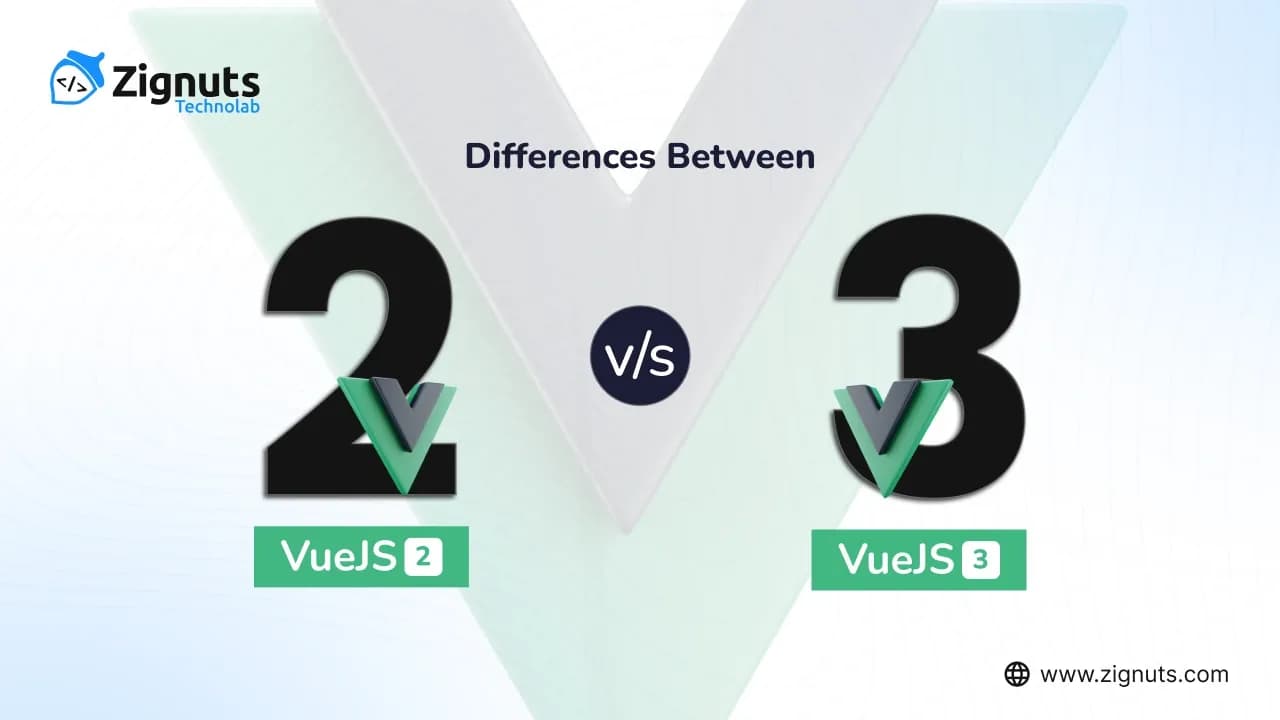
In the fast-evolving landscape of front-end development, the trio of Angular, React, and Vue.js continues to lead, yet Vue.js has carved a unique niche by balancing simplicity with high-performance capabilities. As we navigate 2026, Vue.js remains a powerhouse for architects and developers aiming to build high-scale, reactive web interfaces. For developers and enterprises evaluating their stack today, the choice is no longer about which version is stable, but how to leverage Vue 3’s mature ecosystem. While Vue 2 served as the foundation for millions of legacy systems, it reached its official End of Life (EOL) in late 2023, making Vue 3 the undisputed global standard for the modern web.
Today, Vue 3 is optimized for TypeScript-first development, AI-assisted coding workflows, and lightning-fast performance. The transition to Vue 3 wasn't just a simple update; it was a complete re-engineering that introduced innovative features like the Composition API and native Vite support. These advancements provide the modularity and speed required for the complex, AI-integrated applications that dominate today’s digital market. By leveraging these cutting-edge concepts, Vue 3 ensures that your applications remain responsive, maintainable, and fully future-proof in an increasingly competitive landscape.
Key Takeaways
Composition API & Script Setup:
Vue 3’s Composition API has matured into the industry standard, specifically through the <script setup> syntax. Unlike Vue 2’s Options API, which often led to "giant components," the Composition API allows for clean logic extraction into "Composables." In 2026, this modularity is essential for AI-driven code generation and maintaining massive enterprise-scale codebases.
Next-Gen Performance (Vapor Mode):
While Vue 2 relied on a standard Virtual DOM, Vue 3 has evolved further in 2026 with Vapor Mode. This allows for a solid performance boost by compiling components into high-performance JavaScript that bypasses the Virtual DOM overhead entirely, where possible, making applications faster and more memory-efficient than ever.
Optimized Tree Shaking:
Vue 3 was designed to be modular. In 2026, modern build tools like Vite 6+ leverage this to ensure that only the features you actually use are included in your final bundle. This results in significantly smaller payloads compared to Vue 2, which is critical for maintaining high Core Web Vitals and SEO rankings.
Teleport & Fragments:
Vue 3 eliminates the "single root element" constraint of Vue 2 through Fragments. Additionally, the Teleport component has become a staple for complex UI patterns, allowing developers to render global elements like modals or notifications outside the deeply nested DOM tree without losing component state.
TypeScript-First Architecture:
In 2026, TypeScript will no longer be optional for professional development. Vue 3 was rewritten from the ground up in TypeScript, providing deep IDE integration and "type-safety by default." This is a stark contrast to Vue 2’s limited and often cumbersome TypeScript support.
Ecosystem Maturity (Pinia & Nuxt 4):
The ecosystem concern of the past is gone. In 2026, Pinia has completely replaced Vuex as the standard state management tool, and Nuxt 4 provides a robust SSR/SSG framework that outperforms the older Vue 2 ecosystem in every metric, from developer experience to server-side rendering speed.
Migration & Compatibility:
While Vue 2 reached its end-of-life in 2023, the migration path in 2026 is well-trodden. With the Vue 3 Migration Build and automated refactoring tools (codemods), Zignuts can transition legacy applications to the modern stack with minimal downtime, ensuring long-term security and third-party library support.
AI-Enhanced Developer Experience:
Vue 3’s structured syntax is perfectly suited for 2026’s AI pair programmers. The improved tooling, better error handling in the Vue Language Tools, and clear reactivity transform (using ref and reactive) make the development lifecycle smoother, more intuitive, and faster than the Vue 2 era.
Long-Term Support & Security:
Choosing Vue 3 in 2026 is a matter of security. Since Vue 2 no longer receives official security patches, Vue 3 is the only choice for enterprises that require compliance, active maintenance, and a community that is now 100% focused on the latest version’s innovations.
Hire Vue.js Developers Today!

History and Evolution: VueJS 2 VS VueJS 3
To comprehend the disparities between Vue 2 and Vue 3, it's essential to trace the framework's evolution through these defining milestones:
The Origins (2014):
Created by Evan You after working with AngularJS at Google, Vue.js began as a lightweight runtime library. Its primary goal was to provide a "progressive" alternative to heavier frameworks, allowing developers to pick and choose features as needed.
The Vue 2 Revolution (2016):
With the launch of Vue 2, the framework introduced a Virtual DOM and the Options API. This version propelled Vue into the mainstream, making it a favorite for its simplicity and the ability to integrate easily into existing projects.
The Transition Era (2020–2022):
Vue 3 was officially released in September 2020. Unlike its predecessor, it was a complete ground-up rewrite in TypeScript. This era introduced the Composition API, designed to solve the "spaghetti code" issues found in massive Vue 2 components.
End of Life for Vue 2 (December 2023):
A pivotal moment in Vue's history occurred when Vue 2 reached its official End of Life. This necessitated a global shift toward Vue 3, solidifying it as the only secure and maintained version for enterprise-level applications.
The Mature Standard (2024–2025):
During this period, the ecosystem fully caught up. Pinia became the standard for state management (replacing Vuex), and Vite became the default build tool, significantly reducing development overhead and build times.
The "Vapor" and AI Era (2026):
Today, Vue.js is recognized as a high-performing, adaptable framework that has pioneered Vapor Mode, a strategy that allows for ultra-fast performance by bypassing the Virtual DOM where possible. It is now perfectly optimized for modern AI-assisted coding, offering a structured syntax that allows AI agents to generate cleaner, more efficient code.
Definition: Vue.js 2
In the 2026 development landscape, Vue.js 2 is defined as a Legacy JavaScript Framework that served as the industry's cornerstone for building reactive user interfaces between 2016 and 2023. While it was once the most prevalent version of the framework, it officially reached its End of Life (EOL) in December 2023.
Today, Vue.js 2 is characterized by the following:
- Options API Foundation: Unlike the modern Composition API, Vue 2 is primarily defined by the Options API, where component logic is segmented into fixed properties like data, methods, and computed. In 2026, this is viewed as a "classic" approach, often preferred for smaller, less complex legacy maintenance.
- Virtual DOM & Reactivity: It operates on a reactive system based on ES5 Object.defineProperty, which was revolutionary for its time but lacks the proxy-based performance and memory efficiency of Vue 3.
- Maintenance Status: As of 2026, Vue 2 no longer receives official security updates or new feature releases from the core Vue team. It is maintained only in specialized enterprise environments through Extended LTS (Long-Term Support) providers to ensure compliance for mission-critical legacy systems.
- Ecosystem Compatibility: Most modern libraries (such as Pinia, Vitest, and the latest versions of Nuxt) have moved away from Vue 2 compatibility. Consequently, Vue 2 is now defined as a "stable but static" environment, primarily used by organizations that have not yet completed their migration to the Vue 3 ecosystem.
Definition: Vue.js 3
Vue.js 3 is the current, high-performance standard of the Vue framework, optimized for the demands of the 2026 digital landscape. It represents a complete re-engineering of the original core, designed to power everything from lightweight widgets to massive AI-integrated enterprise platforms. In 2026, Vue 3 is characterized by its "Vapor-first" philosophy, TypeScript-native architecture, and a highly modular ecosystem that has rendered Vue 2 entirely legacy.
Key defining elements of Vue.js 3 in 2026 include:
- Vapor Mode & Zero-VDOM Rendering: A major breakthrough in Vue 3 (specifically highlighted in versions 3.4 through 3.6) is Vapor Mode. This compilation strategy allows components to be compiled into direct, fine-grained DOM updates, bypassing the Virtual DOM overhead entirely. This results in up to 2-3x faster rendering and a 60% reduction in memory consumption compared to traditional Virtual DOM frameworks.
- The Composition API & <script setup>: The Composition API is no longer the "new" way; it is the standard. By grouping logic by functional concern rather than code type, it enables the creation of "Composables" that are easily shared across projects. In 2026, this structure is particularly vital as it allows AI code assistants to better understand and generate precise business logic.
- Proxy-Based Reactivity: Vue 3 utilizes native ES6 Proxies for its reactivity system. Unlike the old system in Vue 2, this allows for the detection of property additions/deletions and array index modifications automatically, providing a more intuitive and bug-free developer experience.
- Built-in Modern Components: Vue 3 features native support for Fragments (multiple root nodes), Teleport (rendering elements like modals anywhere in the DOM), and Suspense (handling async state for components). These are now essential for building the complex, fluid "Skeleton Loader" interfaces expected by users today.
- TypeScript-First Ecosystem: Written entirely in TypeScript, Vue 3 provides world-class IDE support (via tools like Volar and vue-tsc). In 2026, type safety is non-negotiable for enterprise stability, and Vue 3 delivers this out of the box with near-perfect type inference.
- Tooling & State Management: The Vue 3 definition is incomplete without its modern companions: Vite (the lightning-fast build tool) and Pinia (the intuitive, type-safe successor to Vuex).
Technical Comparison: VueJS 2 VS VueJS 3
Creating An Application
The initial disparity between Vue 2 and Vue 3 arises during the process of creating an application from scratch. To kickstart the standard application setup, including the installation of Vue CLI (Command Line Interface), developers must follow specific procedures.
- To streamline the installation process, execute the following command to install Vue CLI globally:
- For Vue 2 installation, input the following command:
- For the latest version, Vue 3, utilize the command:
- While the installation steps remain similar, minor syntax distinctions and structural changes differentiate the creation process between Vue2 and Vue3.
- Below, I present code snippets exemplifying these variances.
Example of main.js file for Vue2
Example of main.js file for Vue3
Multiple Root
In Vue 2, adhering to a single root element within a template is imperative; any attempt to include multiple roots results in an error being thrown. However, Vue 3 diverges from this restriction, enabling the inclusion of multiple root elements within the same template without encountering errors. This newfound flexibility in Vue 3's templating system provides developers with greater freedom in structuring their components.
In a Vue 2 application, attempting to include multiple root elements within a template will halt the process, triggering an error message. Conversely, in Vue 3, such constraints are lifted, allowing the inclusion of multiple root elements without triggering error messages.
Here's an example showcasing the difference:
This distinction affords developers greater flexibility in Vue 3, as demonstrated by the inclusion of multiple web components within the same file without encountering any error messages.
Example of HelloWorld and AppForm components

Hire Vue.js Developers Today!
Introducing Fragments in Vue 3: Breaking the Single-Root Constraint
The introduction of Fragments in Vue 3 marked a significant architectural shift in how templates are structured. In the legacy era of Vue 2, every component was strictly required to have exactly one root element. If a developer tried to return multiple elements, the compiler would throw an error, leading to the "wrapper <div> tax" millions of unnecessary <div> tags added solely to satisfy the framework's requirements.
By 2026, Fragments will have become a cornerstone of clean, semantic web development. Here is how they redefine component structure today:
- Eliminating the "Wrapper Tax": Vue 3 inherently supports Fragments, allowing components to encompass multiple root nodes. This means you can return a list of items, a group of form inputs, or a header/main/footer trio directly without wrapping them in a container that clutters the DOM tree and interferes with CSS Grid or Flexbox layouts.
- Cleaner DOM & Improved Accessibility: By removing redundant wrapper elements, Fragments lead to a flatter DOM hierarchy. In 2026, this is critical for both performance (faster browser style calculations) and accessibility, as it ensures that screen readers encounter a semantic HTML structure rather than a "div-soup."
- Enhanced Attribute Inheritance: While Vue 3 allows multiple roots, it is smart enough to handle "fallthrough" attributes. In 2026 workflows, developers explicitly define which root node should inherit attributes (like class or id) using the v-bind="$attrs" directive, providing precise control that was impossible in the Vue 2 era.
- Component-Driven Organization: Fragments enable the creation of specialized components, such as a "Form Group" component that returns a <label> and an <input> as siblings. In both Vue 2 and Vue 3, you may establish a template and organize data similarly, but only Vue 3 allows these siblings to exist at the root level, making your Form components far more modular and flexible.
Form Component in Vue 2 application
Below are the Form Component implementations in Vue 2 and Vue 3:
Vue 2 Application Form Component:
Vue 3 Application Form Component:
These implementations showcase the Form Component templates for both Vue 2 and Vue 3 applications, illustrating the differences in syntax and data handling between the two versions.
Data Property in Vue 2 vs Vue 3: The 2026 Shift
In the modern development landscape of 2026, managing data has evolved from the structured "Options" approach to a more fluid, performance-first "Composition" model. While both versions aim to keep the UI in sync with the state, the underlying mechanics have changed fundamentally to support the high-speed, memory-efficient demands of today’s web applications.
Vue 2: The Options API Approach
In Vue 2, data management is strictly organized within the data() property. This follows a predictable structure where all reactive variables must be declared upfront within a specific object.
Vue 2 Code with Options API:
Vue 3 Code with Composition API:
In Vue 3's Composition API, developers leverage the setup() method to handle component initialization. By using reactive() from Vue, data becomes reactive. This approach offers developers finer control over reactivity, improving performance and code organization.
Methods in Vue 2 vs Vue 3
Creating methods in Vue 2 and Vue 3 applications involves different approaches, with Vue 2 relying on the Options API and Vue 3 utilizing the Composition API.
Vue 2 Method Creation:
In Vue 2, methods are declared within the methods property of the component object.
Vue 3 Method Creation:
In Vue 3, the Composition API is used to handle methods. Within the setup() method, methods are declared as regular JavaScript functions, which are then returned for accessibility within other parts of the component. This approach offers more flexibility and control over method declaration compared to Vue 2's Options API.
Lifecycle Hooks
In Vue 2, developers can directly access lifecycle hooks from the component options. For instance:
In Vue 3, with the Composition API, the setup() method includes lifecycle hooks. However, these hooks are not automatically available and need to be imported. For example, to use the mounted lifecycle hook, developers need to import the onMounted() method.
Here's how it's done:
In this example, the onMounted() method is imported, and inside the setup() method, it's utilized to define the behavior when the component is mounted. This approach offers more flexibility and control over lifecycle hooks in Vue 3 compared to Vue 2.
Computed Properties
In Vue 2, computed properties are defined in a separate section, distinct from data properties.
Here's an example:
To use computed properties in Vue 3, developers need to import computed into the component. The structure is similar to an arrow function, but it must be wrapped in a computed key within the setup() method:
In this Vue 3 example, computed() from Vue is imported, and the computed property is defined within the setup() method. Finally, it's returned for use in the template. This demonstrates the process of using computed properties in Vue 3, which offers more flexibility and control compared to Vue 2.
Accessing Props
Accessing props differs significantly between Vue 2 and Vue 3, particularly in how props are referenced within components.
In Vue 2, referencing props typically involves using `this` within the component's methods or lifecycle hooks. For instance:
In Vue 3, however, accessing props is handled differently. The setup() method is used, which takes two arguments: props for immutable access to the component's props and context for selected properties exposed by Vue 3 (such as emit, slots, and attrs). Here's how it looks:
For non-<script setup> components:
In Vue 3's single file components (SFCs) using <script setup>, props can be declared using the defineProps() macro:
These approaches demonstrate the difference in accessing props between Vue 2 and Vue 3, showcasing how Vue 3 offers more flexibility and clarity in managing props within components.
Events in Vue 2 vs Vue 3
In Vue 2, emitting events involves using this.$emit within the component's methods to trigger an event that can be caught by a parent component.
Here's an example of how it's done:
In Vue 3, accessing this directly is no longer the norm, so emitting events is handled differently. The setup() method provides access to the emit function via the context argument.
Here's how it looks:
Additionally, in Vue 3, a component can explicitly declare the events it will emit using the defineEmits() macro within the <script setup> section:
Introducing Teleport (Portals) Functionality in Vue 3
In the modern web development landscape of 2026, managing the visual hierarchy of an application independently from its logical hierarchy is a standard requirement. Vue 3 addresses this with the Teleport feature (formerly known as Portals), providing a native, high-performance way to render components from one part of the DOM tree into a completely different location.
From Third-Party to Native Integration
While Vue 2 required developers to rely on third-party plugins like portal-vue to break out of the parent component's DOM structure, Vue 3 introduced <Teleport> as a core, built-in feature. By 2026, this has become the industry-standard method for managing "out-of-flow" UI elements like global modals, dropdowns, tooltips, and notification toasts.
How it Works: The <Teleport> Feature
With Vue 3's <Teleport> tag, any code enclosed within it can be seamlessly rendered at a specified target location, even if that target is outside the Vue app’s root mounting point. This is particularly useful for avoiding CSS z-index or overflow: hidden issues that often plague deeply nested components.
The <Teleport> tag accepts a to attribute, which takes a CSS selector (like an ID or class) to specify the target destination.
Here's a basic example to illustrate the concept of portals:
In this example, any content enclosed within the <Teleport> tag, such as the "Hey, Everyone!!!" message, will be displayed at the target location specified by the to attribute.
At the time of writing, please note that <Teleport> functionality may not be available in certain versions of Vue 3, such as the Alpha version mentioned above. However, once implemented, <Teleport> offers a streamlined approach to managing portal functionality within Vue 3 components.
Filters in Vue 2 vs Vue 3
One of the most notable changes in the transition from legacy Vue to modern Vue is the removal of Filters. In 2026, the industry has fully embraced the more explicit and performant patterns introduced in Vue 3, favoring clarity and type-safety over the "pipe" syntax of the past.
Vue 2: The Filter Pattern
In Vue 2, developers could define filters to apply common text formatting directly within the template using a "pipe" (|) symbol. While this was visually concise, it often made it difficult to track where the formatting logic lived and lacked robust support for TypeScript.
In Vue 2, developers can define filters to apply common text formatting directly within the template.
Here's an example:
In Vue 3, achieving the same functionality involves using computed properties. Here's how it's done:
In this Vue 3 example, a reactive accountBalance variable is defined using ref(), and then a computed property accountInUSD is created to format the balance in USD. While filters are not available in Vue 3, computed properties provide a flexible alternative for achieving similar functionality.
Watch in Vue 2 vs Vue 3: Advanced Reactivity in 2026
In the 2026 development landscape, "watching" for data changes has evolved from a simple component option into a powerful, granular system. While Vue 2 relied on a static watch object, Vue 3 offers a functional approach that provides developers with much deeper control over how and when side effects are triggered.
Vue 2: The Watch Option
In Vue 2, the watch property is part of the Options API. It is effective for tracking specific data points and performing actions when they change, such as API calls or data validation.
In Vue 3, developers have the option to use the watchEffect() function for reactive observing changes in data. watchEffect() reruns whenever its dependencies change. This provides flexibility and efficiency in handling reactive updates.
Here's how it's done:
Alternatively, developers can also use the watch function, which is familiar to Vue 2 users:
Both approaches offer reactive data observing capabilities, providing developers with options based on their preferences and familiarity with Vue 2 or Vue 3 syntax.
Hire Vue.js Developers Today!
Event buses in Vue 2 and Vue 3
Event Buses in Vue 2:
In Vue 2, event buses are commonly used for communication between components. Here's how you can implement event buses in Vue 2:
Firstly, you can create a global event bus instance using Vue's prototype:
With the event bus set up, you can emit and listen for events in your components:
Event Buses in Vue 3:
In Vue 3, you can use the Mitt library for handling events between components. Here's how you can set up Mitt in a Vue 3 project:
First, install the Mitt library:
Then, in the main.js file, provide Mitt globally:
Now, you can use Mitt in your Vue 3 components by injecting it:
This setup allows you to achieve similar functionality to event buses in Vue 2, with the added benefits of being compatible with Vue 3's composition API and providing a lightweight solution for event handling.
Router in Vue2 and Vue3
Router in Vue 2:
In Vue.js 2, setting up the router involves creating a router instance separately and passing it to the Vue application using Vue.use(Router) before creating the root Vue instance.
Here's an example:
Usage in Vue 2 components involves accessing the router instance through $router:
Router in Vue 3:
In Vue.js 3, router setup is more aligned with the Composition API style. You can create the router instance directly inside your application setup. Here's an example:
Usage in Vue 3 components involves using useRouter and useRoute from vue-router:
With Vue 3, router setup becomes more streamlined and aligns better with the Composition API paradigm.
Hire Vue.js Developers Today!
State Management
State Management in Vue 2 with Vuex:
In Vue.js 2, Vuex is the most commonly used state management library. It provides a centralized store for all the components in an application. Here's how you typically set up and use Vuex in a Vue 2 application:
1. Install Vuex:
2. Create a Vuex store:
3. Use the store in your Vue components:
State Management in Vue 3 with Vuex 4 or Pinia:
In Vue.js 3, Vuex 4 is compatible for state management, but you also have the option of using Pinia, a new state management alternative designed specifically for Vue3.
Here's how you can set up and use Vuex 4 or Pinia in a Vue 3 application:
Using Vuex 4:
- Install Vuex 4:
- Create a Vuex store (similar to Vue 2 setup):
- Use the store in your Vue components (similar to Vue 2 setup).
Using Pinia:
- Install Pinia:
- Create a Pinia store:
- Use the store in your Vue components:
In Vue 3, you have the flexibility to choose between Vuex 4 and Pinia for state management, depending on your project requirements and preferences. Both libraries offer powerful state management solutions tailored for Vue 3 applications.
The Technical, User-facing, and Business-related differences between Vue 2 and Vue 3:
In 2026, the distinction between Vue 2 and Vue 3 is no longer just about "new features"; it is the dividing line between legacy maintenance and modern, high-performance web engineering. While Vue 2 served as a revolutionary foundation, Vue 3 has matured into a performance-first ecosystem designed for the high-speed, AI-integrated landscape of today.
1. Technical Differences: Under the Hood
The technical evolution of Vue 3 has focused on breaking the limitations of the older ES5-based architecture to provide a leaner, faster core.
- Composition API & Logic Reusability:
Vue 3: Uses the Composition API (and the standard <script setup> syntax) to group code by functional concern. This enables the use of Composables, which allow developers to share complex logic across many components without the "naming collisions" or "source mystery" common with Vue 2 mixins.
- Vue 2: Relies on the Options API, which forces code into fixed blocks (data, methods, computed). For large components, this results in "fragmented logic" where a single feature is scattered across hundreds of lines of code.
-
- Next-Gen Reactivity (Proxies vs. DefineProperty):
- Vue 3: Powered by ES6 Proxies, which can detect property additions, deletions, and array index changes natively. In 2026, this system is further optimized with "Alien Signals" logic, reducing memory overhead by nearly 50%.
- Vue 2: Uses Object.defineProperty, which requires the framework to "walk" all properties at startup. It cannot detect new properties added after initialization, often requiring the use of Vue.set().
- Vue 3: Powered by ES6 Proxies, which can detect property additions, deletions, and array index changes natively. In 2026, this system is further optimized with "Alien Signals" logic, reducing memory overhead by nearly 50%.
- Vapor Mode & Rendering Efficiency:
- Vue 3: Now supports Vapor Mode, a compilation strategy that can bypass the Virtual DOM entirely for components that don't need it. This results in 2–3x faster rendering and significantly lower CPU usage.
- Vue 2: Strictly tied to the Virtual DOM, which involves a "diffing" process for every update, adding overhead that becomes noticeable in data-heavy enterprise applications.
- Vue 3: Now supports Vapor Mode, a compilation strategy that can bypass the Virtual DOM entirely for components that don't need it. This results in 2–3x faster rendering and significantly lower CPU usage.
- Tree Shaking & Bundle Size:
- Vue 3: A fully modular codebase. If you don't use a feature (like Teleport or v-memo), it is "shaken out" of the final production build. A baseline Vue 3 app in 2026 is roughly 10–12 KB, nearly half the size of Vue 2.
- Vue 2: Less modular; many core features are bundled regardless of usage, leading to larger initial payloads and slower "Time to Interactive" (TTI).
- Vue 3: A fully modular codebase. If you don't use a feature (like Teleport or v-memo), it is "shaken out" of the final production build. A baseline Vue 3 app in 2026 is roughly 10–12 KB, nearly half the size of Vue 2.
Conclusion: VueJS 2 VS VueJS 3
The evolution of Vue.js from version 2 to 3 represents a fundamental transition from a revolutionary library to a high-performance, enterprise-grade standard for the 2026 digital landscape. While Vue.js 2 established the core principles of accessibility and reactivity, its reliance on a legacy ES5 foundation and the Options API eventually hit a ceiling in terms of scalability and performance.
Vue.js 3 has shattered these barriers by re-engineering the core with TypeScript-native architecture, ES6 Proxy-based reactivity, and the innovative Vue.js Vapor Mode, which provides near-instant rendering speeds while significantly reducing memory overhead. For developers, this shift to the Vue.js Composition API and Vite-driven tooling has unlocked a level of modularity and speed that was previously unattainable, allowing for the creation of complex, AI-integrated applications that are both clean and maintainable.
From a strategic and business standpoint, the move to Vue.js 3 is no longer a matter of choice but a necessity for security and growth. Since Vue.js 2 reached its official End of Life in late 2023, the 2026 ecosystem has fully consolidated around the latest framework standards, making it the only version capable of providing critical security patches and modern library support.
By embracing Vue.js 3, organizations are investing in a future-proof architecture that delivers superior user experiences through smaller bundle sizes and more fluid interfaces. If you are looking to migrate your legacy systems or build a next-gen application, you should Hire Vue.js developers who understand these architectural shifts. Ready to transform your digital presence? Contact Zignuts today to start your journey with the world's most versatile framework.

Zignuts Technolab
Zignuts Technolab delivers future-ready tech solutions and keeps you updated with the latest innovations through our blogs. Read, learn, and share!